Free Cash Receipt Template
Fill it in on screen, or leave it blank and write by hand. Print two copies on one page or save it as a PDF — no sign-up, nothing to download.
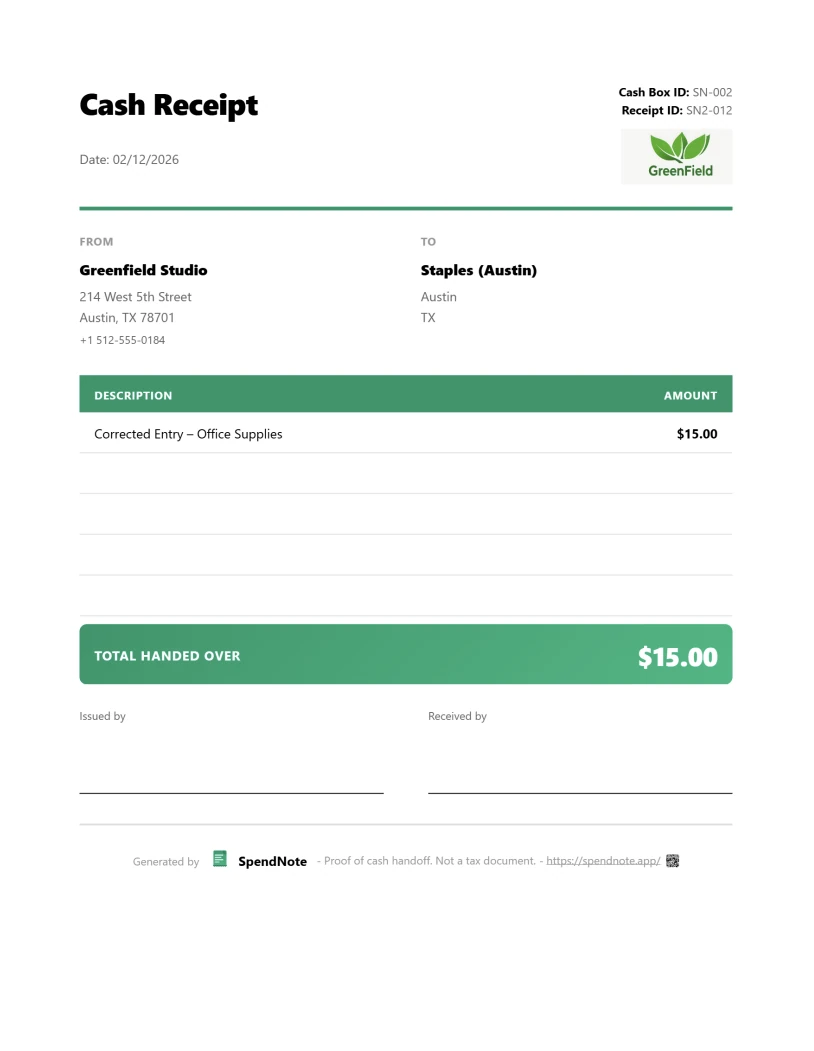
Fill in your cash receipt
Type the details and the receipt on the right updates as you go. Leave a field empty and it prints as a blank line to fill in by hand.
What goes on a cash receipt
A cash receipt only has to answer a few questions: who paid whom, how much, when, and for what. Every field on this template is there for one of them.
Receipt number
So you can refer to the receipt later and spot one that is missing.
Date
The day the cash changed hands, not the day you got round to writing it up.
Received from / Received by
The person handing over the cash and the person taking it.
What it was for
One plain line is enough: “Rent, November” or “Deposit for the sofa”.
Amount, in figures and words
Writing the amount in words makes it harder to alter. This template writes them for you.
Two signatures
Paid by and received by. Both sides sign off on the same amount and purpose.
How to fill out a cash receipt
- Check the receipt number. The template starts at 0001 and moves on to the next number after every print, as long as you use the same browser.
- Check the date. Today’s date is filled in. Change it if the cash was paid on another day.
- Write both names. “Received from” is the person paying, “Received by” the person taking the cash.
- Say what it was for in a few words.
- Enter the amount. The amount in words fills itself in on the receipt.
- Print two copies on one page, sign both, cut along the line and each side keeps one. To keep a digital copy, choose “Save as PDF” in the print window.
Printing a blank cash receipt
Prefer pen and paper? Leave the fields empty and print. Each empty field becomes a line to write on, and the signature lines are already there. Clear the date field as well if you want to write that by hand. Keep the copies in number order so you can see at a glance if one is missing.
When people use a cash receipt
This template is the general one. It works for any cash payment, for example selling a car, a sofa or a bike privately. For the most common situations there is a version with its own title and tips:
- Taking a deposit → cash deposit receipt
- Paying a babysitter → babysitter cash payment receipt
- Paying a handyman or tradesperson → handyman cash payment receipt
- Handing cash to a colleague, for supplies or at a shift change → cash handoff receipt
- Paying out of the office petty cash box → petty cash receipt generator
- A small business taking cash from customers every day → small business cash receipt
When a template is no longer enough
A template is perfect for the odd receipt. It starts to creak when receipts become routine: copies end up in different drawers and folders, the numbering starts again on another device, several people handle the same cash, and nobody knows how much should be left in the box.
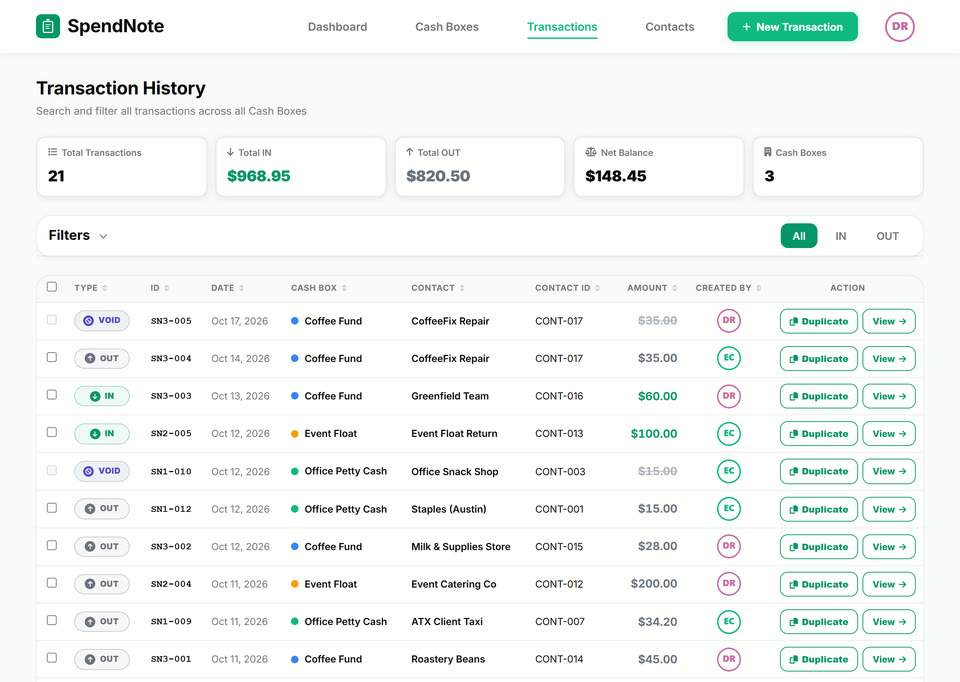
That is the job SpendNote does. Every receipt is numbered per cash box, saved and searchable, and the box keeps a running balance — for one person or a whole team. If the cash you hand out comes from a petty cash box, the petty cash app page shows how it works day to day, and how to start a petty cash box covers the first week.
| This free template | SpendNote | |
|---|---|---|
| Cost | Free | 14 days free, then from $15.83/month |
| Receipt numbers | Counts up in this browser | Per cash box, for the whole team |
| Your copy | Print or PDF you save yourself | Print, PDF or email, saved automatically |
| Finding an old receipt | Wherever you put it | Search by name, date or amount |
| Cash box balance | — | Updated with every receipt |
| Your logo | — | On every receipt |
Keep every receipt in one place
SpendNote numbers, saves and finds every cash receipt, and keeps the cash box balance for you. 14 days free, no credit card.
Start free trialFrequently asked questions
Is this cash receipt template really free?
Yes. You can fill it in, print it and save it as a PDF without an account. Nothing to download or install. A small “Made with SpendNote” line is printed at the bottom of the receipt.
Can I print a blank cash receipt?
Yes. Leave any field empty and it prints as a blank line you can fill in by hand. Clear the date field too if you want it blank.
How do I save the cash receipt as a PDF?
Click “Print or save as PDF”, then choose “Save as PDF” as the printer in the print window.
Where are the details I type stored?
Only in your own browser, so the names and the next receipt number are ready next time. They are not sent to SpendNote. The “Clear” button removes them.
What is the difference between a cash receipt and an invoice?
An invoice asks for payment. A cash receipt confirms that the cash has already been paid, how much, when and for what.
Does a cash receipt count as proof of payment?
A receipt that shows the date, the amount, what it was for and is signed by both sides is a common way to show a cash payment took place. Rules differ by country and purpose, so for tax or legal questions ask an accountant. More on this in proof of cash payment.
Also see: Digital receipt book, How to track cash payments, How much petty cash to keep.
Try everything. Pay nothing for 14 days.
Then, if you love it
- Unlimited receipts and cash boxes
- Your logo on every receipt
- Print, PDF & CSV export
- Daily cash report with cash count
Every cash receipt, numbered and saved.
Set up in two minutes. First receipt in thirty seconds. Every entry saved and searchable.
Start my free trial