Handyman Cash Payment Receipt
Need a simple cash receipt for handyman services? Hand clients instant proof of payment and keep your own record of every job, every client, every dollar.
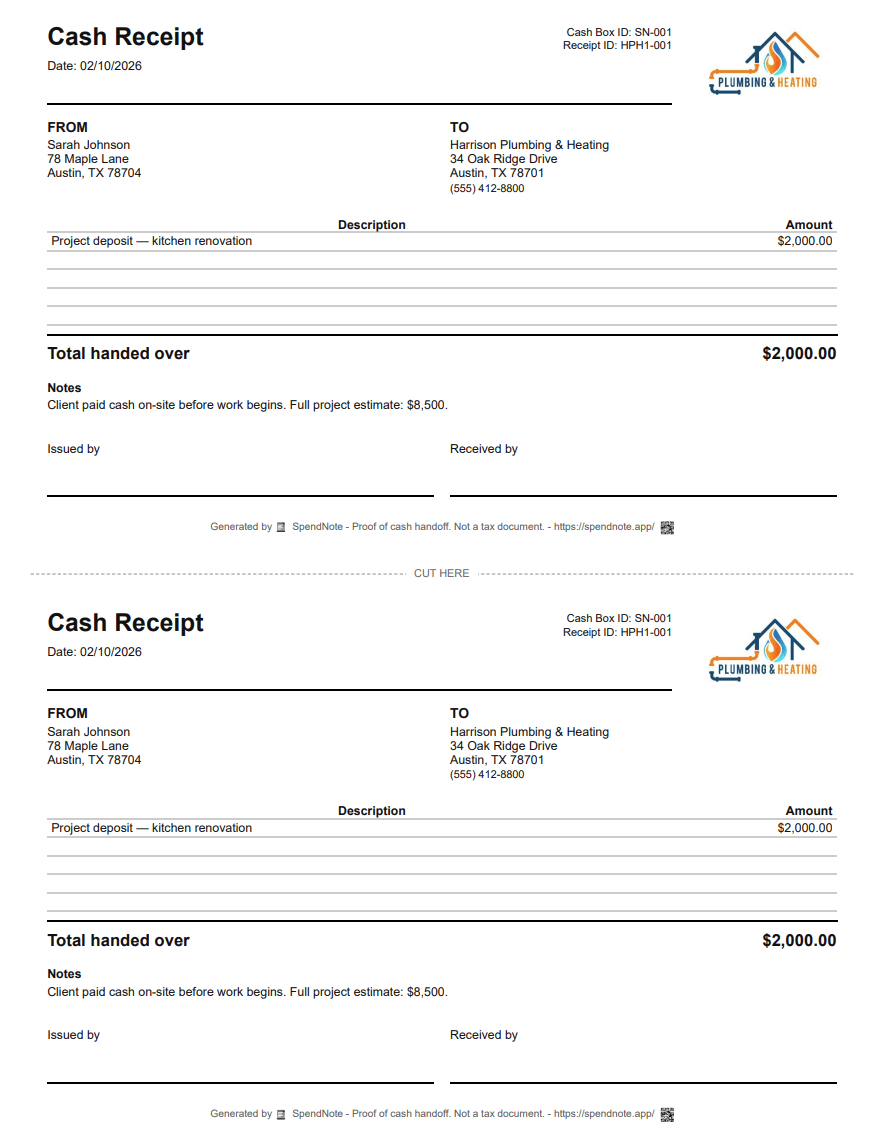
Make a cash payment receipt right now
Fill in the fields, then print two copies or save it as a PDF. Free, no account, nothing to install.
Why Handymen Need Receipts for Cash Jobs
You fix a leaky faucet, patch drywall, hang shelves. The homeowner hands you $350 in cash. A week later, they call back with another job and ask: "Did I pay you for last time?" Without a receipt, you're guessing.
With a receipt, there's no guessing. Every job, every payment, every client — documented. You look professional, and the client has proof they paid.
It protects both sides. The client knows exactly what they paid and when. You know exactly who owes you and who doesn't.
Who This Is For
Solo Handymen
You do jobs for multiple homeowners each week. Cash at the door after every job. A receipt for each one means you never lose track of who paid what.
Handyman Services with a Small Team
You have 2-3 workers doing jobs across town. When they collect cash on your behalf, a receipt keeps everyone accountable. You know what was collected, by whom, from which client.
Property Maintenance Workers
Regular maintenance for rental properties or small businesses. Monthly or weekly cash payments. A receipt trail means you and the property owner always agree on what's been paid.
What Your Handyman Receipt Should Include
- Amount received — The exact cash paid for the job
- Client name — Who paid you
- Date — When the payment happened
- Job note — What the payment was for (e.g., "Kitchen faucet repair")
- Your name or business name — Who received the cash
SpendNote fills in date, time, and receipt number automatically. You just enter the amount, pick the client, and optionally add a job note. Done in under 30 seconds.
How It Works
Step 1: Open SpendNote in your phone’s browser after the client pays you.
Step 2: Tap "IN" (you're receiving cash). Enter the amount and select or add the client as a contact.
Step 3: Done. The receipt is generated instantly. Print it, email it to the client, or download as PDF. Next job for the same client is even faster — their name is already saved.
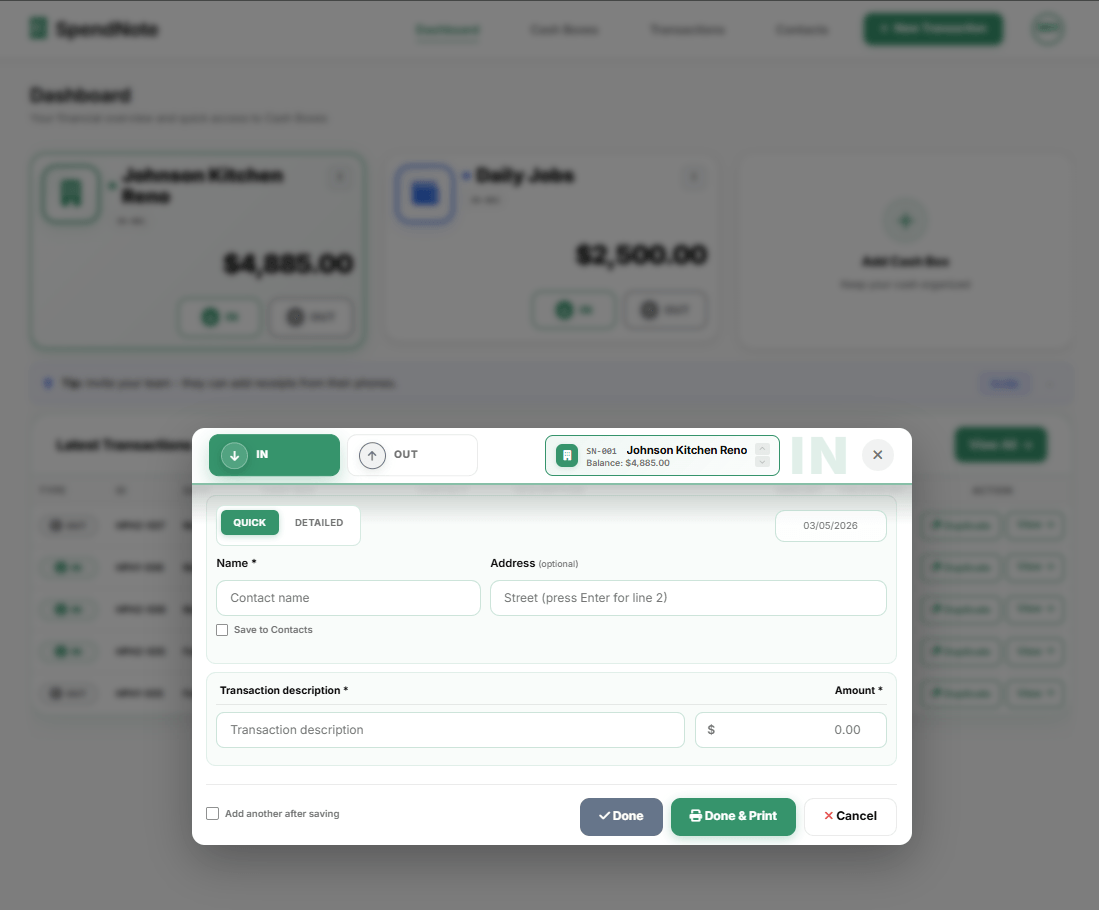
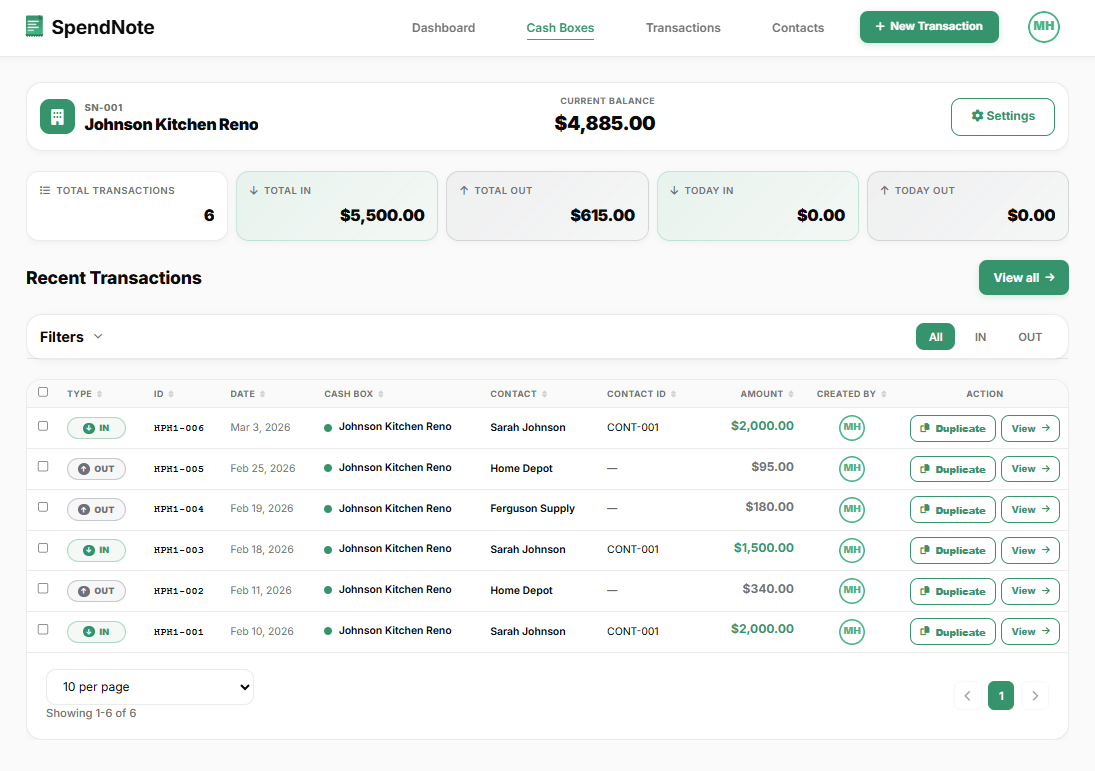
If you work for multiple clients, each one is saved as a separate contact. You can pull up the complete payment history for any client in seconds.
Create a Signed Receipt After Every Job
Quick signed receipt after every cash payment — both sides keep a copy, builds trust with every client. Free to start, no credit card.
Create Receipt After This JobImportant: SpendNote receipts are proof that cash was received — not invoices, not tax documents, and not official accounting records. If you need to issue invoices or report income for tax purposes, consult a tax professional. SpendNote simply documents the moment cash changes hands.
This Is Not an Invoice
Let's be clear about what SpendNote does and doesn't do:
- It does: Record that you received cash from a specific client on a specific date for a specific job
- It does not: Generate invoices, calculate taxes, or create official accounting records
If you need to issue invoices or report handyman income for taxes, that's a separate process. SpendNote just makes sure neither you nor the client forgets what was paid and when.
Frequently Asked Questions
Should a handyman give receipts for cash jobs?
Yes. A receipt protects both you and the client. The client has proof they paid, and you have proof you were paid. It builds trust, prevents disputes about amounts, and makes you look professional.
Is a handyman cash receipt the same as an invoice?
No. A SpendNote receipt is proof that cash was received for a job. It is not an invoice, tax document, or official accounting record. If you need to issue invoices for tax purposes, that is a separate process.
Can I track payments from multiple clients?
Yes. SpendNote lets you save each client as a contact. Every payment is logged with the client name, amount, and date. You can search your full history by client, date, or amount at any time.
How fast can I create a receipt after a job?
Under 30 seconds. Open SpendNote, tap IN, enter the amount, pick the client, and you are done. The receipt is generated instantly and can be printed, emailed, or downloaded as PDF.
Also see: Contractor advance payment receipt, babysitting payment receipt for families, Tutor cash payment receipt, Proof of cash payment received, Small business cash receipt, Cash receipt generator, How to track cash payments.
Try everything. Pay nothing for 14 days.
Then, if you love it
- Unlimited receipts and cash boxes
- Your logo on every receipt
- Print, PDF & CSV export
Every cash handoff, recorded and signed.
Set up in two minutes. First receipt in thirty seconds. Every entry saved and searchable.
Start my free trial