Free Daily Cash Report Template — Fill In & Print
Enter the opening balance, today's cash in and cash out — the report totals itself and shows if the drawer is over or short. Print it or save a PDF.
Fill in today's daily cash report
Add each cash in and cash out, count the drawer at close, then print or save it as a PDF. Free, no account, nothing to install.
What Is a Daily Cash Report?
A daily cash report summarizes one day of cash activity: the opening balance, every cash payment in and out, and the closing balance — so you can confirm the cash on hand matches your records before closing. You can fill in the free template above and print it, or let SpendNote build the report automatically from each logged transaction and export a branded PDF in seconds. Try SpendNote free →
Why a Daily Cash Report Matters
A daily cash report is the simplest internal control you can have. At the end of the day, you answer three questions: how much did we start with, what happened, and how much is left?
Without it, discrepancies compound. A missing $20 on Monday becomes an unexplainable $200 gap by Friday. The daily report catches drift early — while it's still traceable.
It also builds team discipline. When everyone knows the cash gets counted and reported every day, people are more careful. Not because they're being watched, but because the system expects it.
Many businesses prepare an end-of-day cash report to verify the register balance before closing. Whether you call it a daily cash sheet, a cash-up report, or a closing summary — the purpose is the same: make sure the numbers add up before you lock the door.
How to Prepare a Daily Cash Report
Date & Responsible Person
Every report starts with the date and who prepared it. This anchors accountability to a specific person and day. If there's a question later, you know who to ask.
Opening Balance
The amount in the cash box at the start of the day. This should match yesterday's closing balance. If it doesn't, you have a problem before the day even starts.
Cash In (Receipts)
Every cash inflow during the day. Cash received from customers, change returned from purchases, replenishment from the bank. Each entry needs a source, amount, and time.
Cash Out (Disbursements)
Every cash outflow. Petty cash withdrawals, supply purchases, per diems, refunds. Use a petty cash log to keep each entry with a recipient, purpose, and amount.
Closing Balance
Opening balance + cash in − cash out = expected closing balance. Then use a cash count sheet to count the actual cash by denomination. If the two match, you're done. If they don't, document the difference and investigate through reconciliation.
From Template to Automated Report
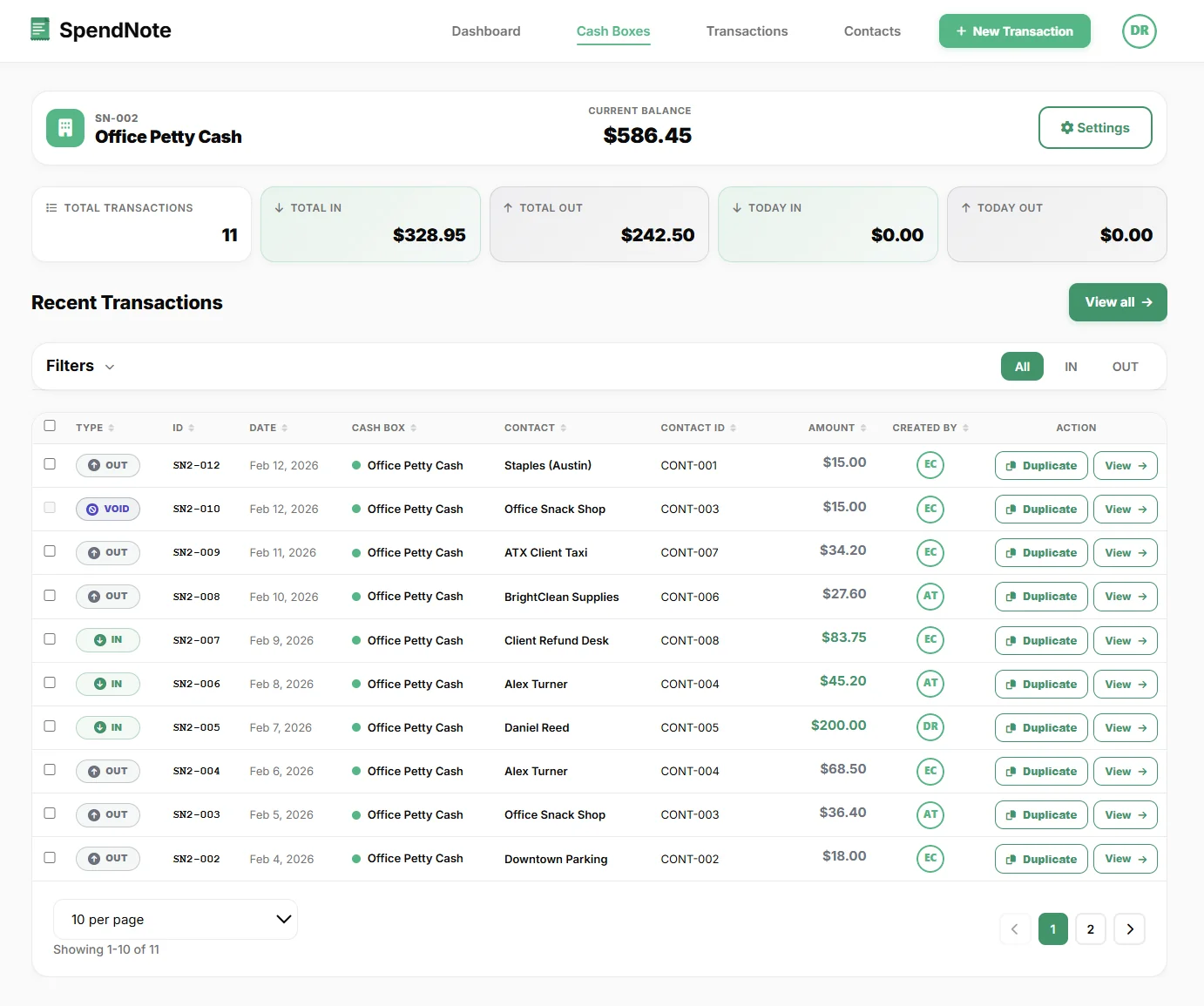
A paper template works. You print it, fill it in by hand, and file it. But if you log transactions in SpendNote during the day, the daily report builds itself.
- Opening balance is the cash box balance at the start of the day
- Cash in / cash out are already logged as IN and OUT transactions
- Expected closing balance is calculated automatically
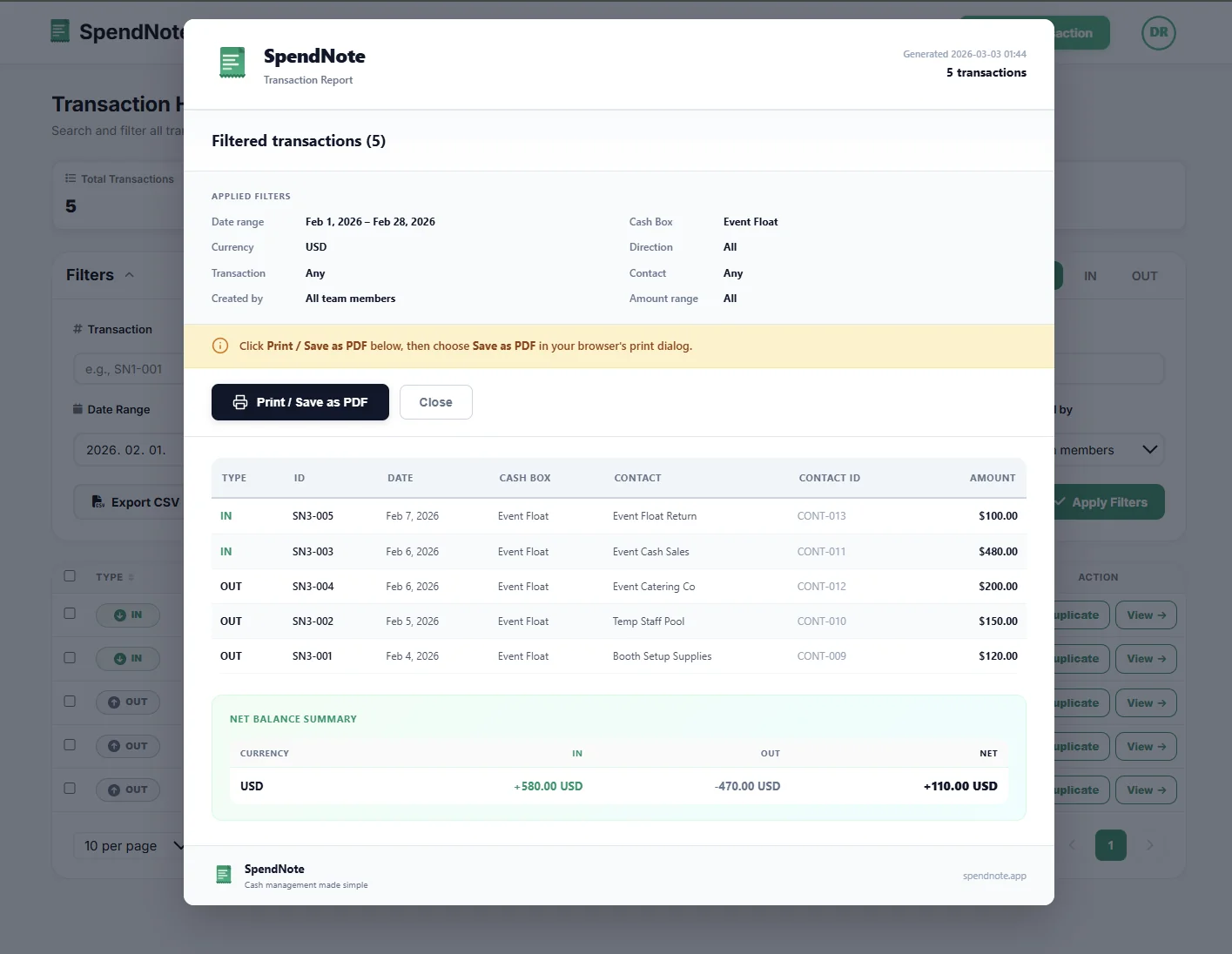
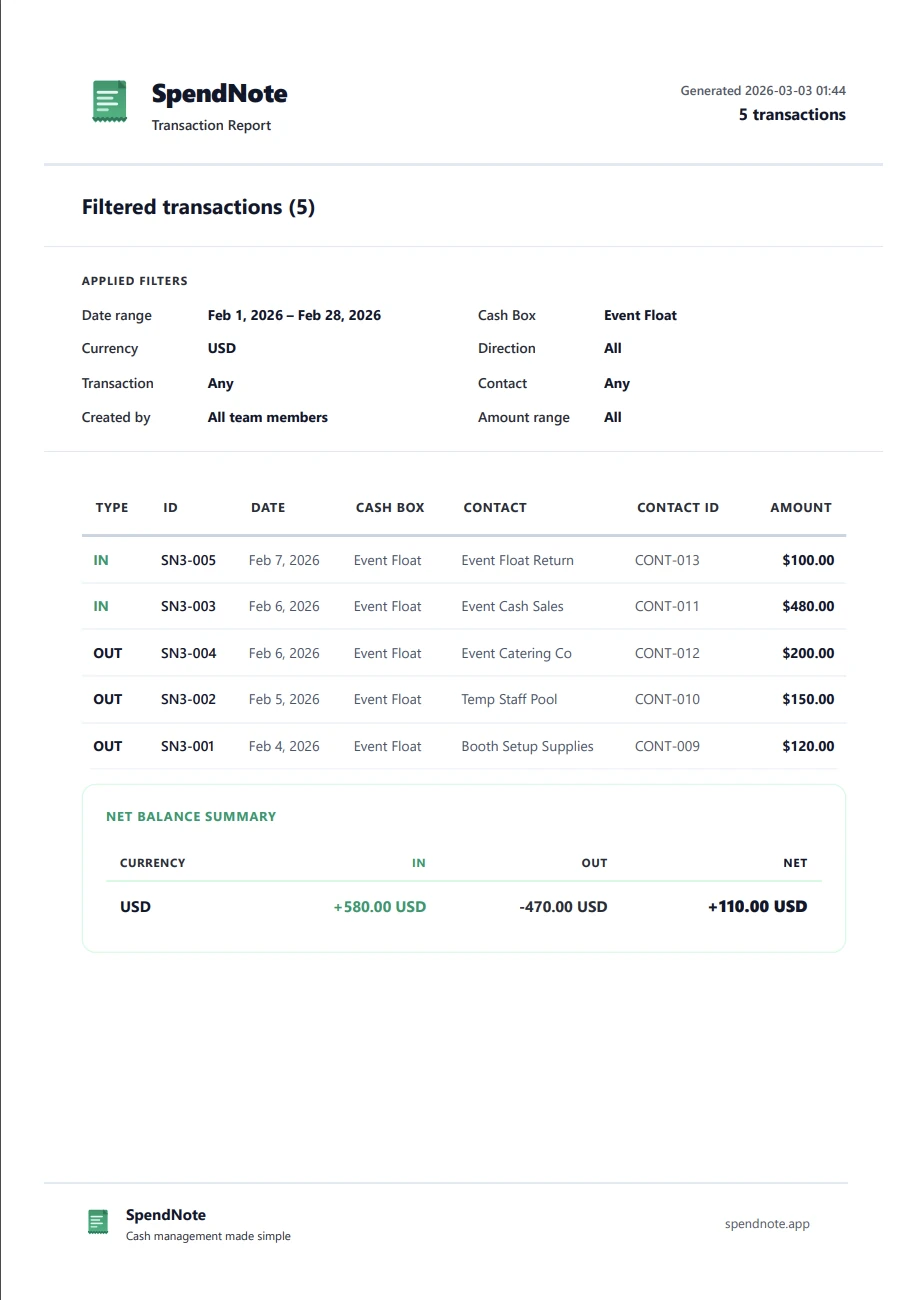
- The report is one click: Daily cash report, pick the cash box and the day, print or save as PDF
- Cash count section on the printed sheet: write in the cash counted, the over / short, and sign it
The daily routine becomes: log transactions as they happen during the day, then at closing time, print the daily cash report, count the drawer and sign. If it is over or short, log the difference as a cash in or cash out so tomorrow starts from the right balance. Done in a minute instead of 15.
Your Daily Report Writes Itself, One Receipt at a Time
Log each transaction with a signed receipt as it happens — the daily summary is ready when the shift ends. No handwriting, no formulas. Free to start, no credit card.
Log Today's First ReceiptDaily Report Best Practices
- Do it at the same time every day — consistency matters more than perfection. End of shift or end of business, pick one and stick to it.
- Count the cash before writing the report — count first, then compare to the records. Never adjust the records to match the count.
- Document discrepancies immediately — a $5 shortage noted today is a data point. Five undocumented shortages discovered next month is a crisis.
- Keep reports on file — even digital ones. If an auditor asks for the last 90 days of daily cash reports, you should be able to produce them in minutes.
- Rotate who does the count — when possible, the person counting shouldn't be the same person who handled cash all day. Separation of duties is cheap insurance.
Important: SpendNote is for internal cash tracking and receipt generation. Daily cash reports generated in SpendNote are internal documentation — not official accounting records, tax documents, or financial statements. Use them alongside your formal accounting system.
Frequently Asked Questions
Is there a free daily cash report template I can print?
Yes. The daily cash report maker on this page is free and needs no sign-up. Enter the opening balance, each cash in and cash out, and the cash counted at close; it totals everything, shows if the drawer is over or short, and prints or saves a PDF. Leave the fields empty to print a blank template and fill it in by hand.
What should a daily cash report include?
A daily cash report should include the opening balance, every cash inflow (with source and amount), every cash outflow (with purpose and amount), and the closing balance. It should also include the date, the person responsible, and any notes about discrepancies.
Who fills out the daily cash report?
Typically, the person responsible for the cash box or register that day — a cashier, office manager, or shift lead. In small businesses, this is often the owner. The important thing is that the same person who handled the cash completes the report.
What if the daily report doesn't balance?
First, recount the cash. Then review every transaction from that day — look for missing entries, double entries, or receipts that weren't logged. With SpendNote, each entry is timestamped and attributed to a user, making it faster to trace the discrepancy.
Can SpendNote generate daily cash reports automatically?
SpendNote tracks every transaction in real time and calculates running balances automatically. At the end of the day, you can filter by today's date and export a branded PDF summary — total IN, total OUT, and closing balance — in a few clicks.
Try everything. Pay nothing for 14 days.
Then, if you love it
- Unlimited receipts and cash boxes
- Your logo on every receipt
- Print, PDF & CSV export
- Daily cash report with cash count
Every cash handoff, recorded and signed.
Set up in two minutes. First receipt in thirty seconds. Every entry saved and searchable.
Start my free trial