Read this first — this template is a starting point, not a legal document
This sample policy is meant as an internal-operations starting point for small teams that handle petty cash. It is not a legal document, not a regulated compliance template, and not a substitute for advice from your accountant or attorney. Adapt every clause to your jurisdiction’s requirements, your company’s internal controls, and the specifics of how you handle cash. SpendNote helps you record and prove cash handoffs — the policy itself, and how it sits inside your wider accounting and compliance stack, is your call (and your professional advisors’).
Basic Petty Cash Policy Elements
A simple petty cash policy for small teams should cover:
- Fund limits: Maximum amount kept in petty cash
- Transaction limits: Maximum amount per disbursement
- Documentation: Receipt requirement for every transaction
- Reconciliation: How often to review and reconcile
- Access control: Who can disburse cash
SpendNote automates most of these policy requirements—every transaction gets a receipt, balances update instantly, and you have role-based access control built in.
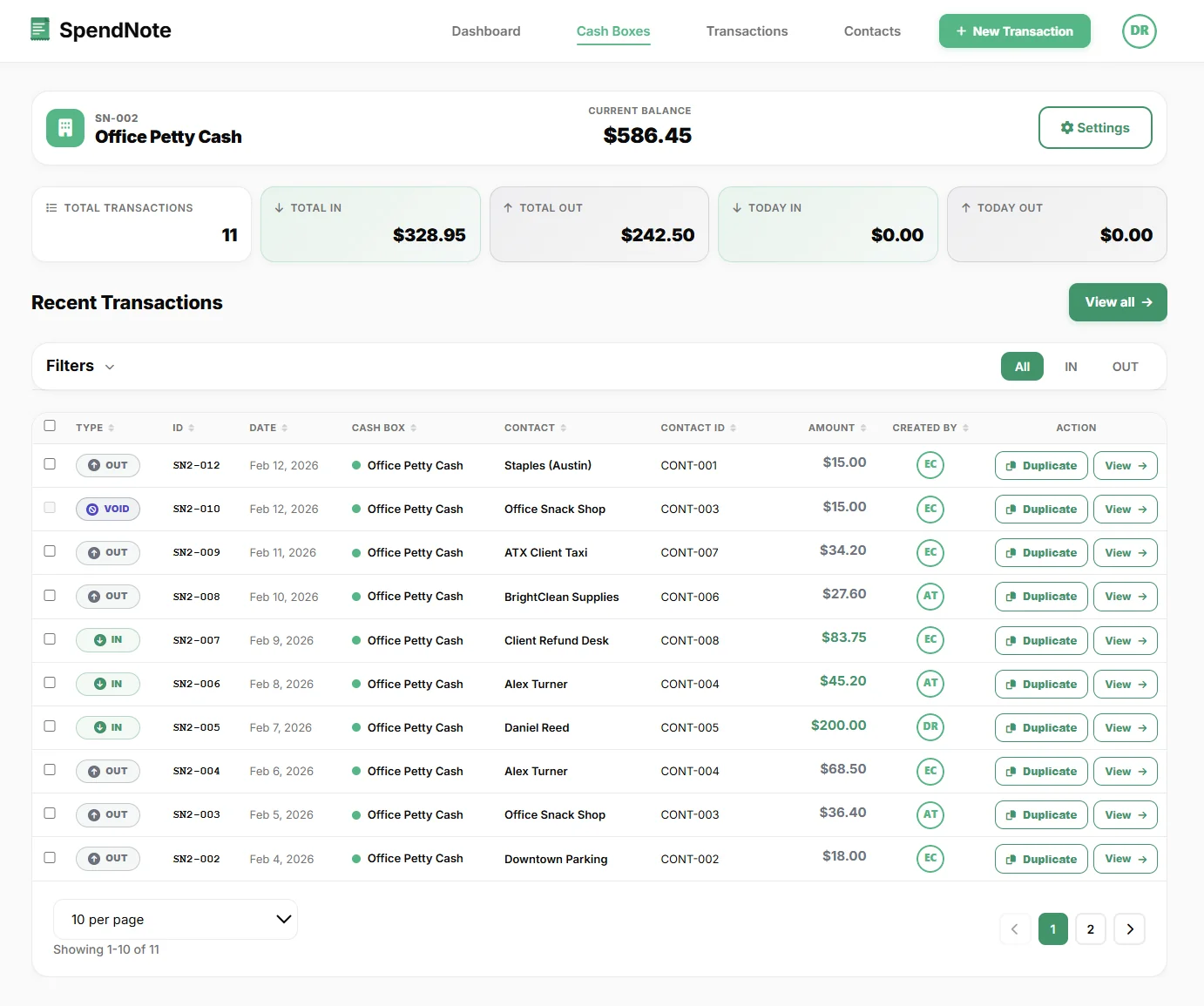
How SpendNote Supports Your Policy
Instead of manually enforcing policy rules, SpendNote automates the key requirements:
Automatic Receipts
Every transaction generates a receipt with signatures, date, amount, and purpose. No manual voucher forms needed.
Real-Time Balance
Current balance is visible before each transaction. Everyone sees the same balance instantly across devices.
Role-Based Access
Control who can see and manage each cash box. Owners see everything, assigned users see only their cash boxes.
Complete History
Every transaction is logged permanently. Search, filter, and export your complete cash history anytime.
Sample Policy: Transaction Limits
Policy: Petty cash disbursements should not exceed $200 per transaction.
How SpendNote helps: The current balance is visible before each transaction. You can set up multiple cash boxes with different balances for different purposes—office supplies, travel, events, etc.
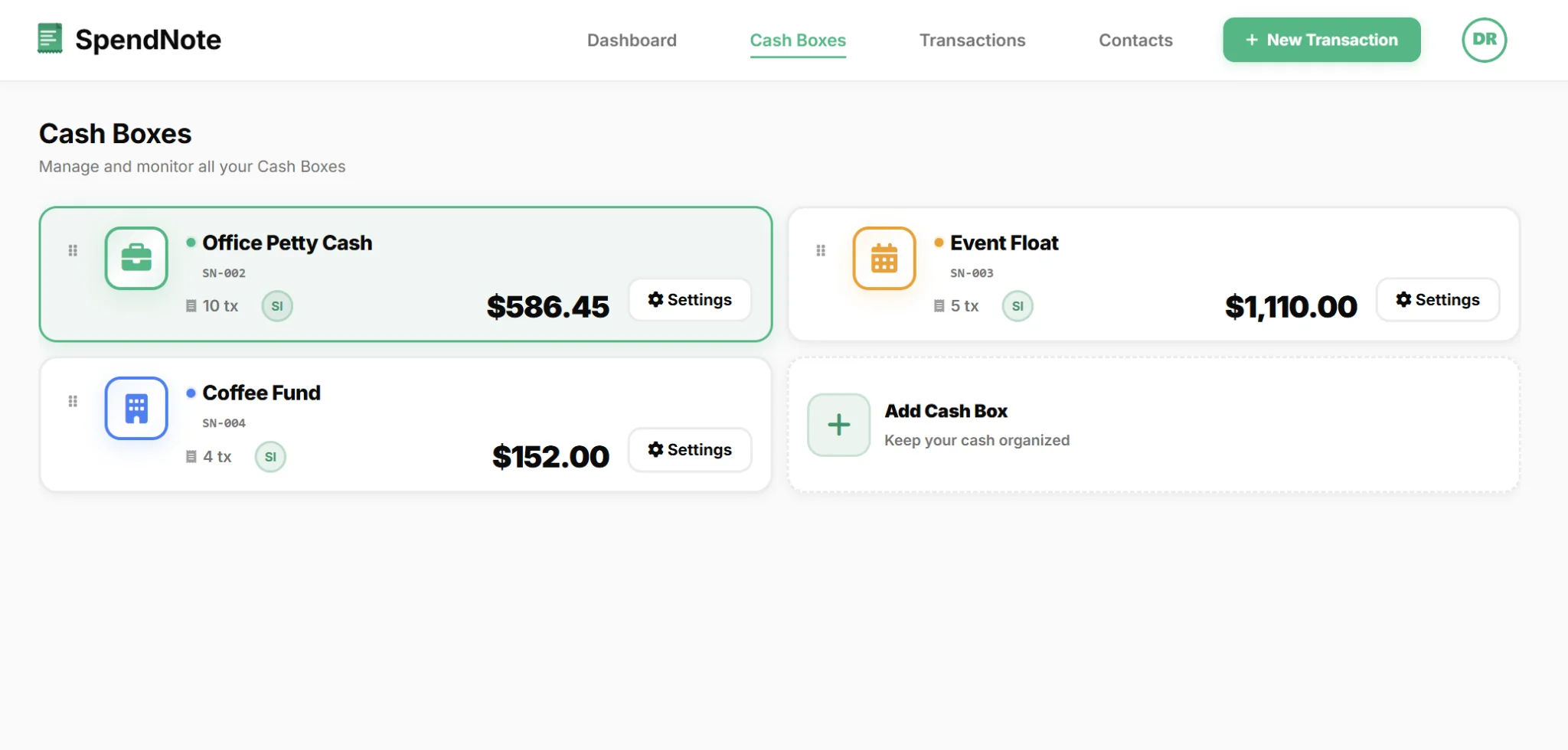
Multi-fund setups like this are exactly what the team petty cash tracking tool is built around — each fund on its own running balance, all of them on one dashboard, role-based access per fund.
Sample Policy: Documentation Requirements
Policy: Every petty cash disbursement must have a signed receipt with date, amount, purpose, and recipient.
How SpendNote helps: This happens automatically. Every transaction generates a printable receipt with all required fields including signature lines. You can print immediately or send by email with PDF attachment.
Sample Policy: Reconciliation Schedule
Policy: Petty cash should be reconciled weekly to ensure accuracy.
How SpendNote helps: Your balance is always current—no manual reconciliation needed. You can export transaction history to CSV anytime for review or audit purposes.
Reminder: The sample clauses above (fund limits, transaction limits, reconciliation cadence, access control) are common-sense starting points for small teams. They are not legally binding, not jurisdiction-specific, and not a substitute for professional accounting or legal advice. Before adopting any cash-handling policy in your business, have it reviewed by your accountant or lawyer. SpendNote provides the operational tooling to enforce whatever policy you decide on — not the policy itself.
Automate Your Petty Cash Policy
Stop enforcing policy manually—SpendNote handles receipts, balances, and history automatically.
Try SpendNote FreePetty Cash Policy FAQ
Do I need a formal petty cash policy for a small team?
A basic policy helps, but SpendNote automates most policy enforcement: every transaction gets a receipt, balances update instantly, and you have a complete searchable history.
How does SpendNote enforce petty cash limits?
SpendNote shows the current balance before each transaction. You can set up multiple cash boxes with different balances for different purposes or departments.
Can I export transaction history for audit purposes?
Yes. You can export your complete transaction history to CSV anytime. Every transaction includes date, amount, purpose, contact, and receipt details.
Also see: How to fill out a petty cash voucher, Petty cash reconciliation, Digital petty cash book, Petty cash receipt generator, Petty cash audit checklist, How to start a petty cash box, Petty cash replenishment form, Petty cash app.
Need more info? Visit our pricing page or FAQ.