How to Fill Out a Petty Cash Voucher (+ Free Generator)
Create a printable petty cash voucher in seconds.
No templates. No spreadsheets.
How Do You Fill Out a Petty Cash Voucher?
To fill out a petty cash voucher, enter the date, the amount disbursed, the purpose of the expense, and the recipient’s name, then have both the person giving and the person receiving the cash sign it. Number each voucher in sequence and attach the supporting receipt. SpendNote fills in the date and voucher number automatically and captures both signatures on a printable receipt. Create a voucher free →
Traditional Petty Cash Voucher Fields
A standard petty cash voucher requires these fields:
- Date: When the cash was disbursed
- Amount: How much cash was given
- Purpose: What the cash was used for
- Recipient: Who received the cash
- Signatures: Both the person giving and receiving the cash must sign
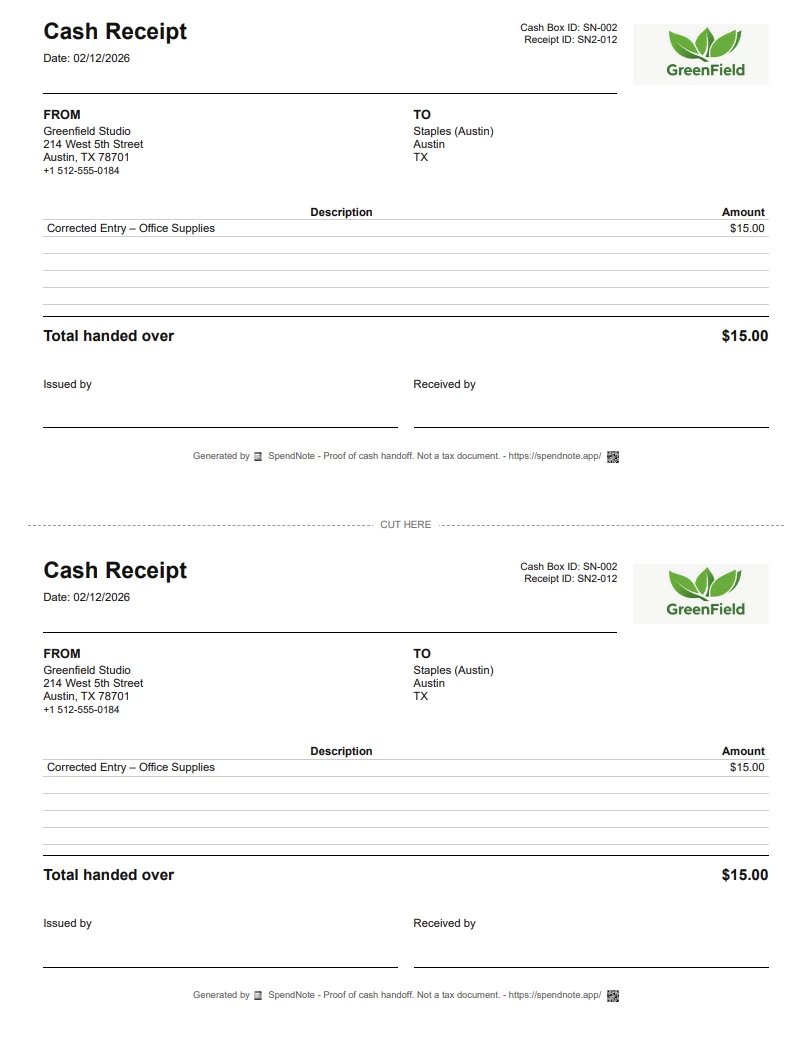
SpendNote receipts include all these fields automatically—you just enter the transaction details and the receipt is generated instantly.
How SpendNote Simplifies Voucher Creation
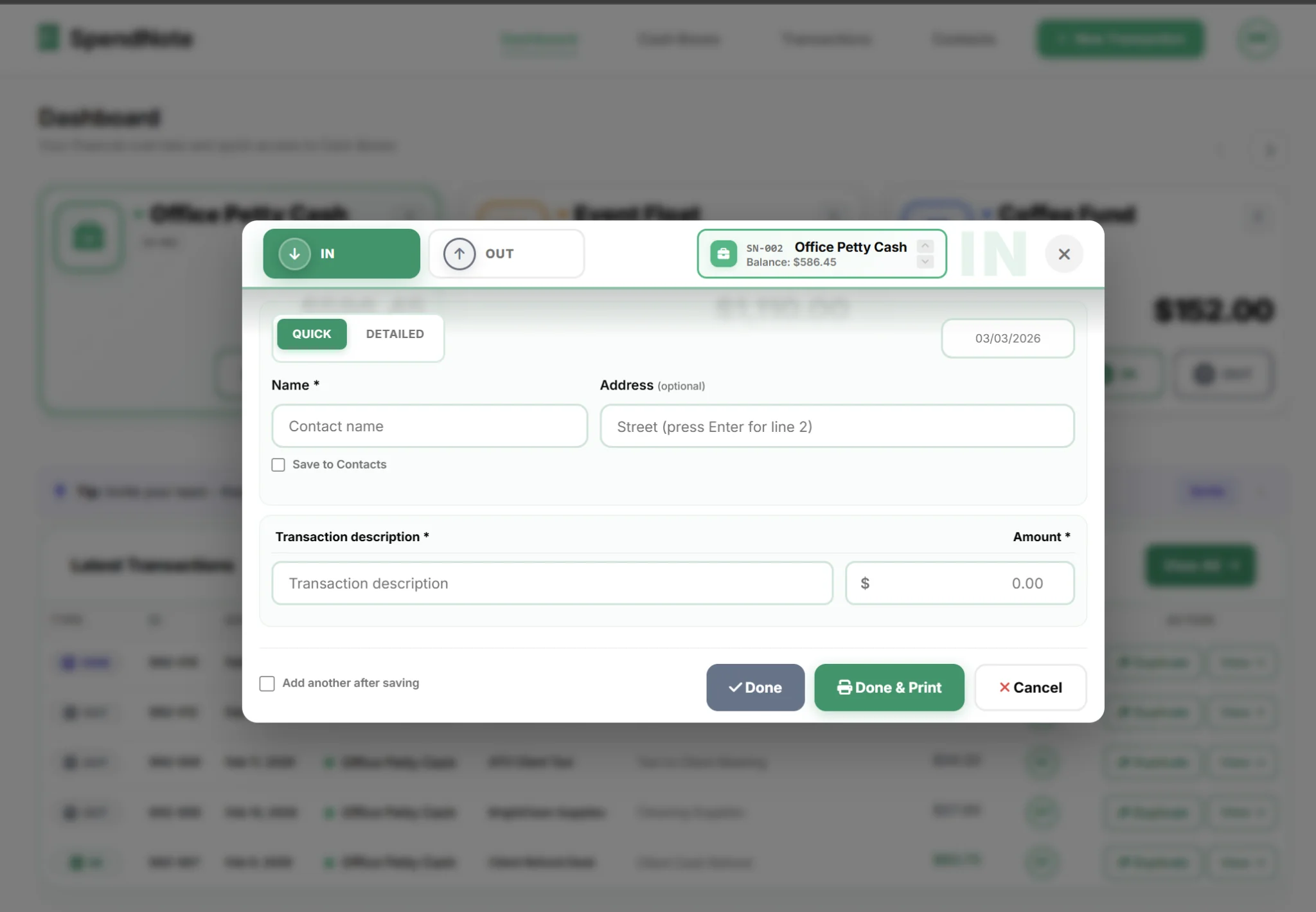
Instead of filling out paper vouchers, you create a transaction in SpendNote and get an instant receipt that serves as your voucher:
- Enter transaction details: Date, amount, purpose, and contact name
- Generate receipt: SpendNote creates a printable receipt with signature fields
- Print or email: Print immediately or send by email with PDF attachment
- Automatic logging: Every voucher is logged in your cash box history
Receipt = Voucher
Every receipt you generate includes all voucher fields: date, amount, purpose, recipient, and signature lines.
Instant Print
Print receipts immediately in a two-copy format—one for the recipient, one for your records.
Email Option
Send receipts by email with PDF attachment for digital record-keeping.
Full History
Every voucher is logged automatically. Search, filter, and export your complete cash history.
Customizable Receipt Labels
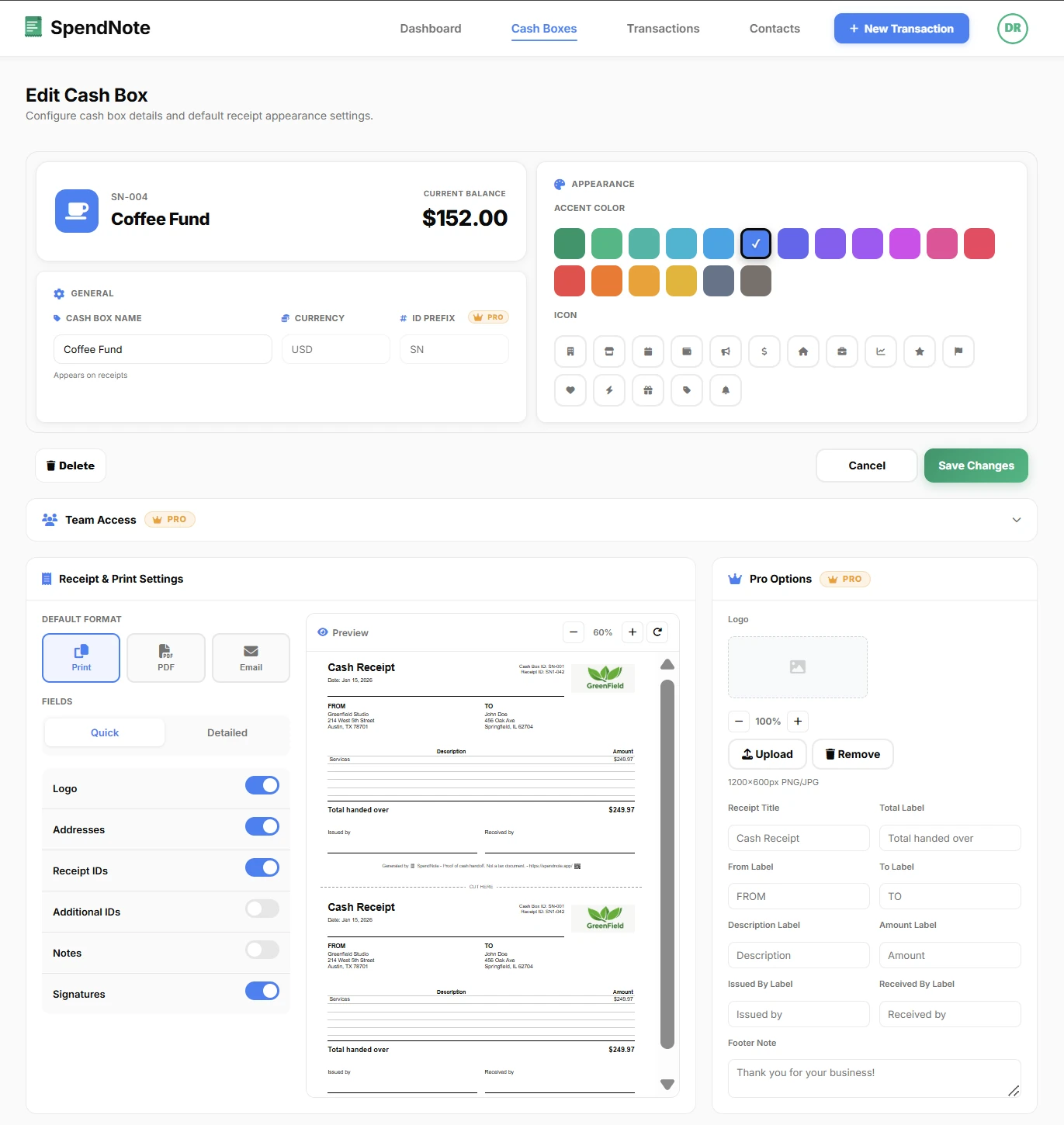
SpendNote lets you customize receipt labels to match your team's language and voucher terminology. You can change:
- Field labels: Rename "Given By" to "Disbursed By" or use your preferred terms
- Currency format: Each cash box can use a different currency symbol and format
- Logo: Add your organization's logo to receipts
- Visible sections: Show or hide specific fields based on your voucher process
Sign and Print Voucher Receipts in Seconds
Skip the paper voucher — SpendNote fills in all required fields, both sides sign and keep a copy. Free to start, no credit card.
Create First Voucher ReceiptPetty Cash Voucher FAQ
What fields are required on a petty cash voucher?
A petty cash voucher needs: date, amount, purpose/description, recipient name, and signatures from both the person giving and receiving the cash. SpendNote receipts include all these fields automatically.
Can I customize the voucher fields in SpendNote?
Yes. You can customize receipt labels, add your logo, and adjust which fields are visible to match your team's voucher process.
Does SpendNote support multiple currencies?
Yes. Each cash box can use a different currency, and you can customize the currency symbol and format on receipts.
Also see: Petty cash policy template, Petty cash reconciliation, Petty cash receipt generator, Digital petty cash book, Petty cash replenishment form.
Need more info? Visit our pricing page or FAQ.
Try everything. Pay nothing for 14 days.
Then, if you love it
- Unlimited receipts and cash boxes
- Your logo on every receipt
- Print, PDF & CSV export
Every cash handoff, recorded and signed.
Set up in two minutes. First receipt in thirty seconds. Every entry saved and searchable.
Start my free trial