Google Sheets user? See the petty cash app vs Google Sheets comparison instead — same wall, slightly different shape.
The Spreadsheet Problem
Excel is free, familiar, and flexible. For a solo operator with 3 transactions a week, it's probably fine. But the moment your team grows past one person, the cracks show fast.
No Audit Trail
Someone changed a cell. When? Who? What was the old value? Excel doesn't tell you. If you're tracking shared cash, this is a serious problem. A missing $200 and no way to trace it means someone gets blamed unfairly — or nobody gets held accountable at all.
No Receipts
Excel logs numbers. It doesn't generate receipts. If you need to hand someone proof that cash was received, you're either writing it by hand or building a separate document. Every time.
Formula Fragility
One accidental delete in the wrong cell and your running balance is wrong for the rest of the sheet. You might not even notice until reconciliation day — and then you're hunting row by row for the break.
Sharing Headaches
Google Sheets solves some of the sharing problem, but not all of it. Version conflicts, accidental edits in someone else's row, and no role separation (who can void vs who can only add) remain unsolved. A shared spreadsheet is one sloppy paste away from chaos.
What a Dedicated App Does Differently
A petty cash app isn't more complicated — it's more structured. The same data you'd put in a spreadsheet (amount, date, who, what for) goes into a form instead. The difference is everything that happens after you hit save.
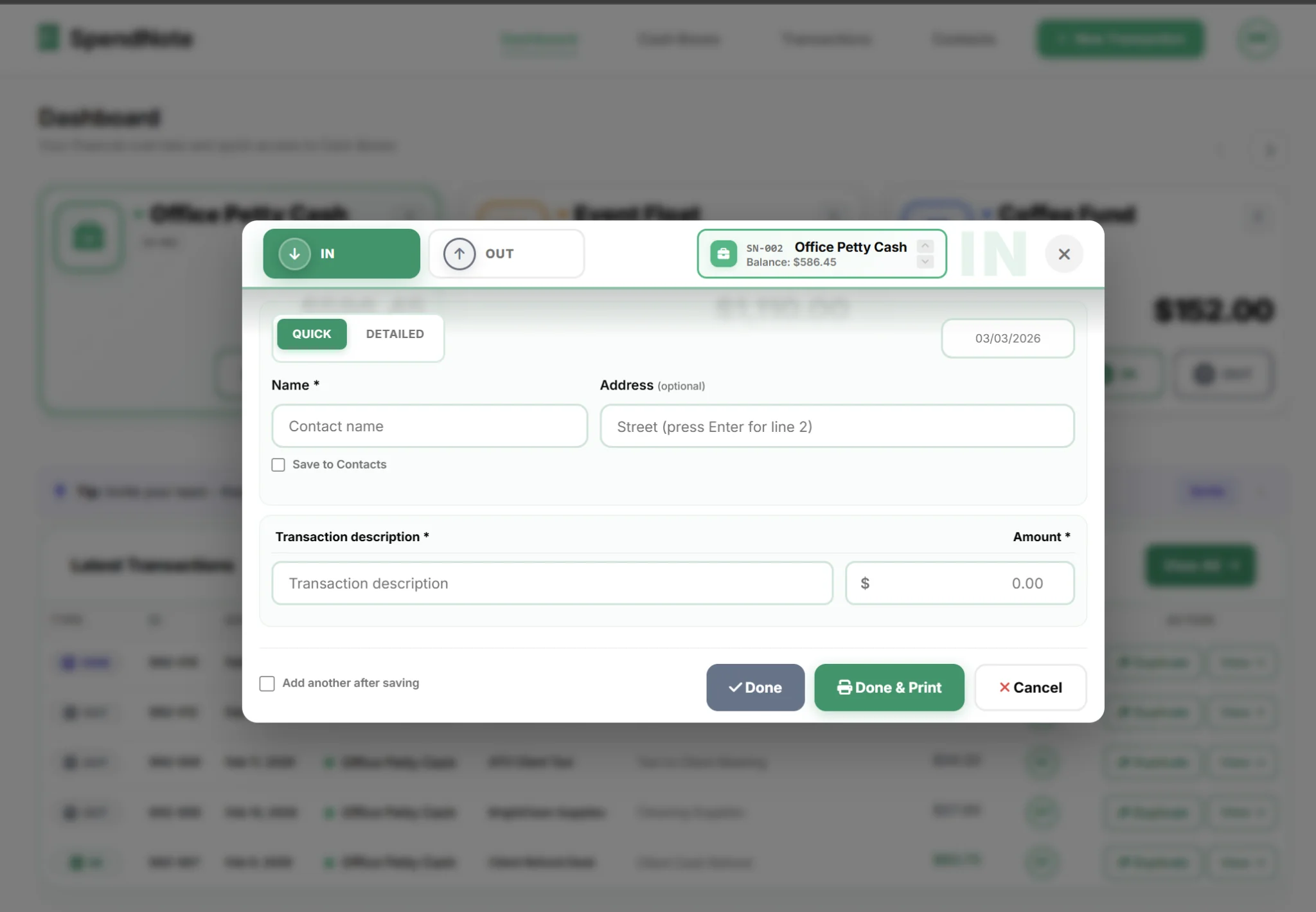
- Balance updates automatically — no formulas to maintain or break
- Receipts generate instantly — print, PDF, or email with one click
- Every entry is timestamped and attributed — you always know who recorded what
- Multiple cash boxes — one per location, project, or department — all in one view
- Role-based access — admins can void, users can only record
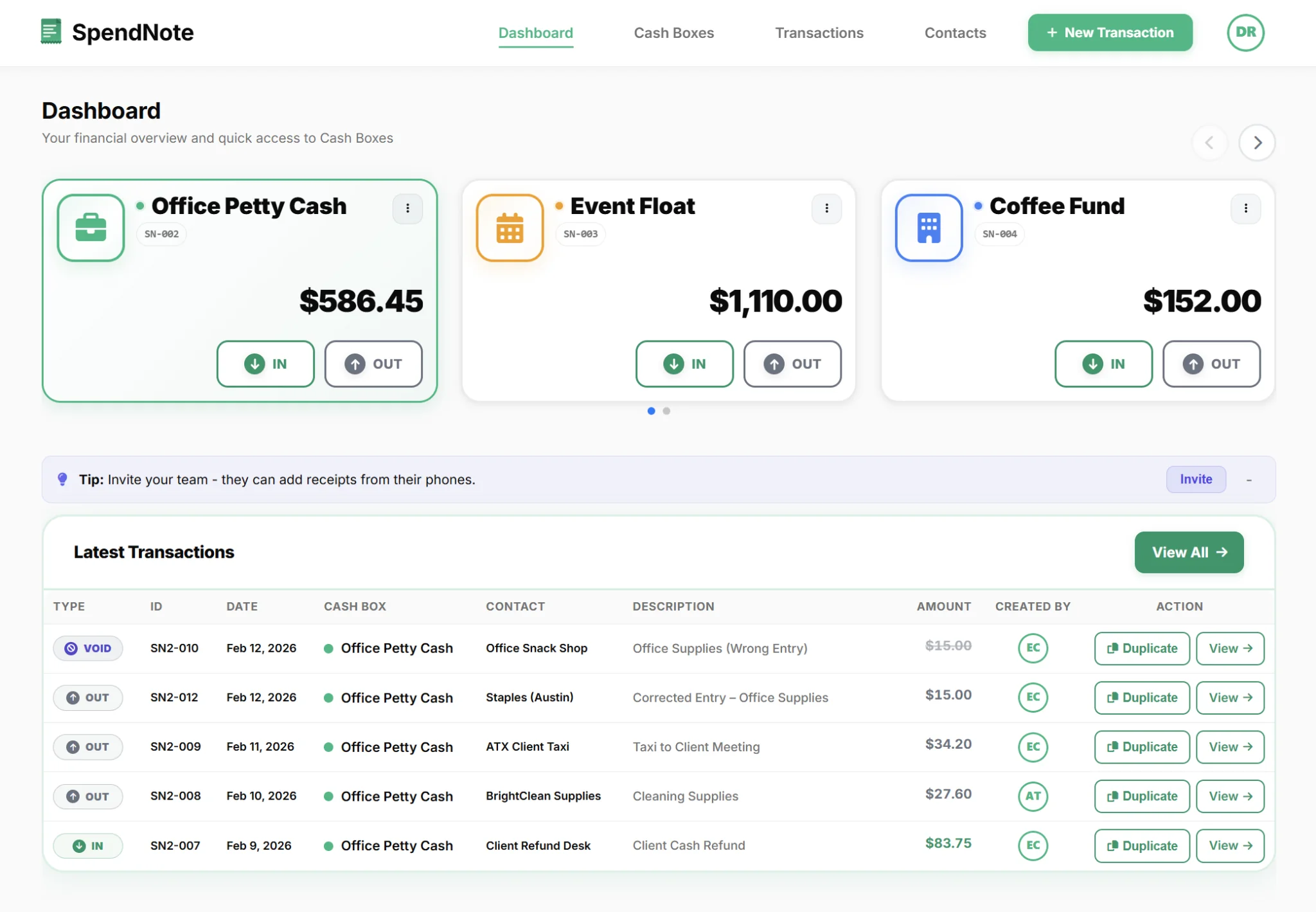
Side-by-Side Comparison
| Feature | Excel / Sheets | SpendNote |
|---|---|---|
| Transaction logging | ✓ Manual entry | ✓ Structured form |
| Running balance | ~ Formula-dependent | ✓ Automatic |
| Receipt generation | ✗ Not built-in | ✓ Print / PDF / Email |
| Audit trail | ✗ No history | ✓ Full log, per user |
| Multi-user access | ~ Sharing, no roles | ✓ Owner / Admin / User |
| Multiple cash boxes | ~ Separate tabs/files | ✓ Built-in, one dashboard |
| Void / cancel a transaction | ✗ Delete row (no trace) | ✓ Void with audit entry |
| Contact management | ✗ N/A | ✓ Saved contacts |
| Export | ✓ Native | ✓ CSV + branded PDF |
| Cost | ✓ Free | ~ Free 14-day trial, then from $15.83/mo |
Switch Trigger Score
Not sure if it's time to leave the spreadsheet behind? Run through these six questions. Each yes is worth 1 point.
- Does more than one person record cash movements? — If yes, you need a who-recorded-it log that Excel doesn't enforce.
- Have you had a missing receipt in the last 30 days? — If yes, you need every entry linked to its receipt — not in a separate folder.
- Is it ever hard to retrace who took the cash? — If yes, the spreadsheet has no timestamped history per user.
- Is the weekly close a back-and-forth chase? — If yes, the running balance breaks faster than you can fix the formula.
- Does the owner check the box from off-site? — If yes, file-shared spreadsheets create version conflicts no one wants to debug.
- Has there been a dispute about cash in the last 30 days? — If yes, every future handoff needs a recorded, signed log entry — not memory.
Score 0–2: A spreadsheet is probably still fine for your size and pace. Score 3–4: Excel has started costing you time. A dedicated app pays back within a few weeks. Score 5–6: The spreadsheet is the bottleneck. Move now.
When Excel Is Actually Fine
Let's be honest: not everyone needs an app.
If you are the only person handling petty cash, your volume is low (under 5 transactions per month), you never need to produce a receipt, and you don't need an audit trail — a spreadsheet is perfectly adequate.
The breakpoint is usually one of these:
- A second person starts handling cash — now you need accountability
- Someone asks for a receipt — and you don't have one ready
- The balance doesn't match — and you can't figure out why
- You manage multiple cash boxes — and separate tabs aren't cutting it
Once you hit any of these, you're spending more time managing the spreadsheet than the cash. That's the sign.
Ready to Replace the Spreadsheet?
Start free. Log your first transaction in under 30 seconds. No formula setup required.
Create Free AccountWhat Switching Looks Like
Step 1: Sign up (free, no credit card). You get a default cash box immediately.
Step 2: Set your starting balance. This is where your spreadsheet balance is right now.
Step 3: Start logging. Every new transaction gets a timestamp, a user attribution, and a receipt you can print or email.
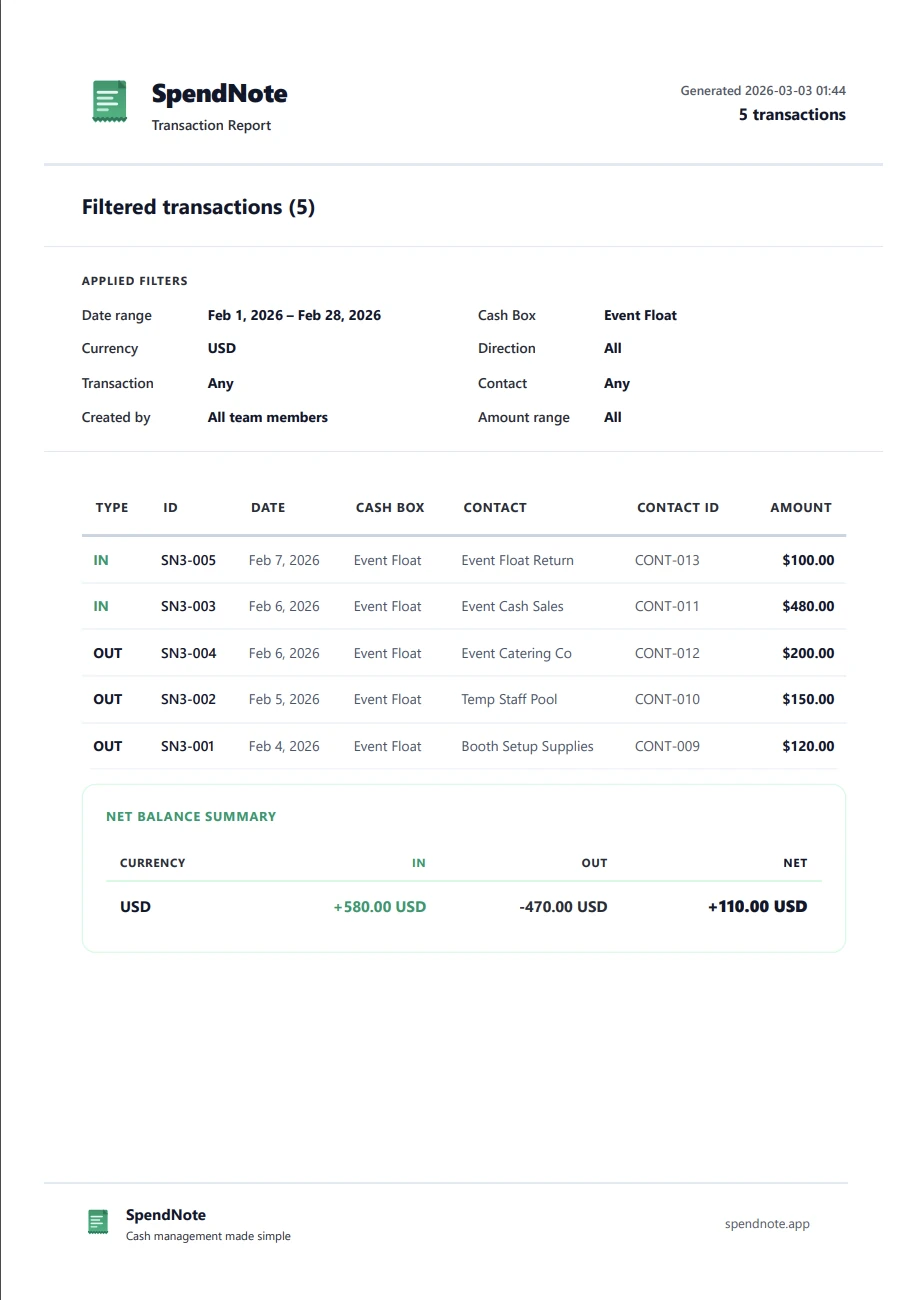
You don't need to import your old data. Most teams keep the spreadsheet as an archive and start clean in the app. If you need a structured approach, see our petty cash management guide. Within a week, the spreadsheet sits untouched. And unlike Excel, you can manage your cash boxes remotely from any device.
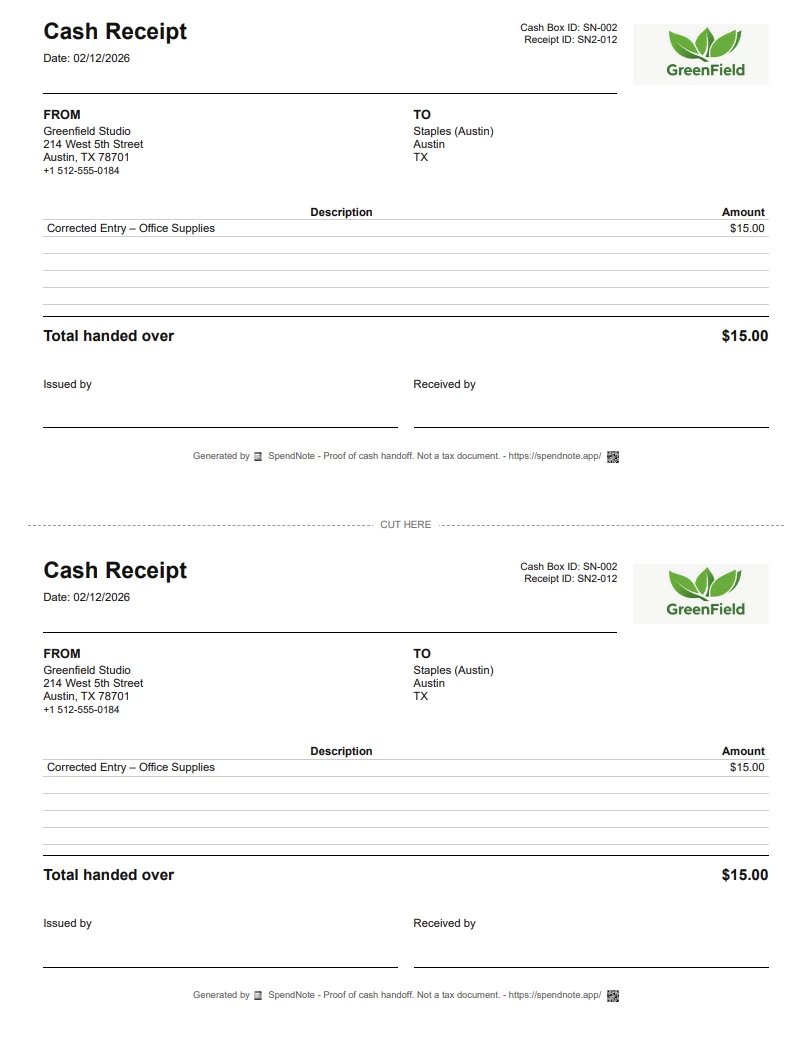
Important: SpendNote is for internal cash tracking and receipt generation. It does not replace your accounting software, tax filings, or invoicing system. SpendNote documents the cash handoff — your accountant handles the rest.
Frequently Asked Questions
Can I import my existing Excel petty cash data into SpendNote?
SpendNote does not currently offer a bulk import feature. However, most teams start fresh and keep the old spreadsheet as a reference. Since SpendNote auto-calculates balances, you only need to set your starting balance and begin logging new transactions.
Is a petty cash app more expensive than using Excel?
SpendNote has a free 14-day trial with full access. After that, paid plans start at $15.83/month. For most small teams, the time saved on manual reconciliation, receipt generation, and error-fixing pays for itself within the first week.
What if I only have a few transactions per month?
If your petty cash activity is very low (under 5 transactions per month) and you are the only person handling cash, a simple spreadsheet may be enough. But the moment a second person touches the cash box, or you need to produce a receipt, you will feel the difference.
Does SpendNote replace my accounting software?
No. SpendNote is for internal cash tracking and receipt generation — not invoicing, tax filing, or bookkeeping. It documents the moment cash changes hands. Your accountant and accounting software handle the rest.