Cash Refund Receipt
Giving cash back without a receipt? That's how refunds become disputes. Document every cash refund with a printable receipt.
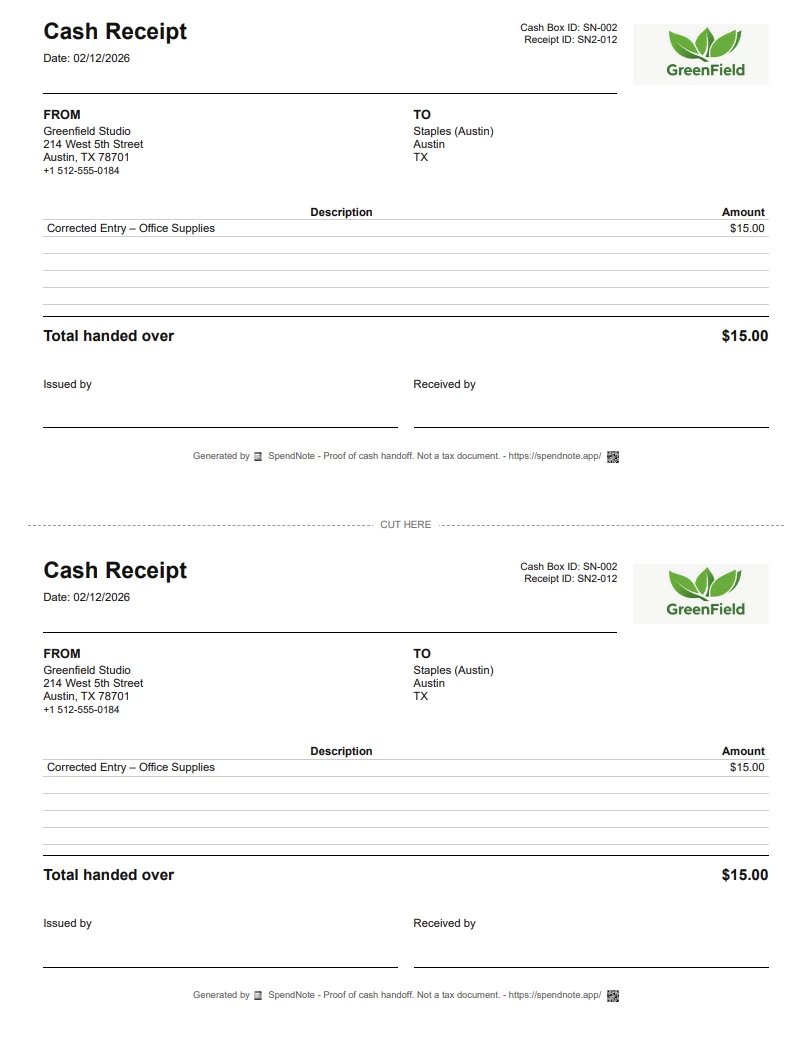
Make a cash refund receipt right now
Fill in the fields, then print two copies or save it as a PDF. Free, no account, nothing to install.
When You Need a Cash Refund Receipt
A cash refund receipt documents that cash was returned to someone. Unlike a credit note or invoice adjustment, this is specifically about the physical handoff of cash back — and proving it happened.
Customer Returns
A customer returns a product and you give them cash back. Without a receipt, they could claim the refund never happened. With a receipt, both sides have proof.
Service Cancellation
A client cancels a service and you return their cash deposit or prepayment. The refund receipt documents that the money was given back, separate from any invoice or credit note your accounting system generates.
Overpayment Correction
Someone paid $200 when the amount was $175. You return $25 in cash. That $25 needs documentation — otherwise your records show you received $200 but the actual cash reflects $175, and the $25 gap is unexplainable.
Internal Reimbursement
An employee used petty cash for something that was later rejected or duplicated. The cash goes back into the box. Without documenting the return, the petty cash log shows a disbursement that was never reversed.
What a Cash Refund Receipt Should Include
- Date and time of the refund
- Refund amount — exact, to the cent
- Recipient name — who received the cash back
- Reason for refund — return, cancellation, overpayment, etc.
- Reference to original transaction — if applicable (original payment date/amount)
- Issued by — who processed the refund
- Both parties receive a copy
How to Issue a Cash Refund Receipt with SpendNote
Step 1: Open your cash box in SpendNote and create a new OUT transaction.
Step 2: Enter the refund amount. Select the contact who is receiving the refund (or create a new contact).
Step 3: In the description, note the reason — e.g., "Refund for returned item" or "Overpayment correction."
Step 4: Save. SpendNote generates a receipt instantly. Print it, email it, or download it as PDF. Both parties have proof.
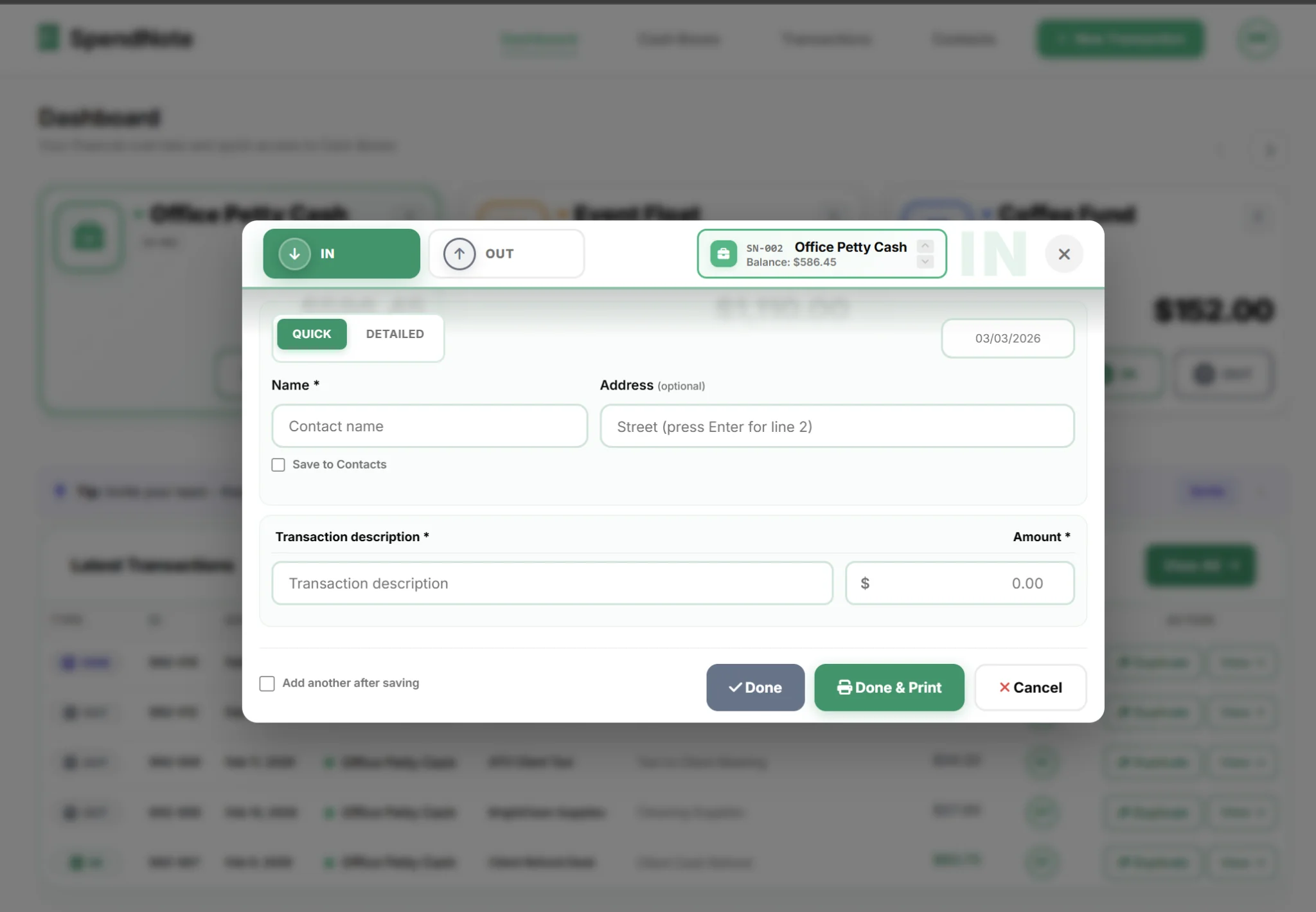
The refund appears in your transaction history with a timestamp and user attribution. Your cash box balance adjusts automatically. If someone asks "where did that $75 go?", the answer is in the log with a receipt to prove it.
Create a Signed Refund Receipt in Seconds
Generate a printable refund receipt the moment the money goes back — both sides keep a copy. Free to start, no credit card.
Create Refund ReceiptWhy Undocumented Refunds Cause Problems
An undocumented cash refund creates a phantom discrepancy. Your reconciliation shows cash going out with no matching record. During an audit, unrecorded outflows are red flags — they look like unauthorized withdrawals, not legitimate refunds.
The fix is simple: treat every refund like any other transaction. Log it, generate a receipt, move on. Takes 30 seconds. Saves hours of investigation later.
Important: SpendNote generates internal documentation for cash refund handoffs. It does not produce credit notes, tax invoices, or official accounting adjustments. If your business requires formal refund documentation for tax or accounting purposes, your accounting software handles that — SpendNote provides the proof that cash physically changed hands.
This Is Not a Credit Note or Tax Document
Let’s be clear about what a SpendNote refund receipt is and isn’t:
- It is: Internal proof that physical cash was returned to a specific person on a specific date, signed by both parties.
- It is not: A credit note (an accounting document that reduces an outstanding invoice), a tax invoice adjustment, a sales-tax/VAT refund record, or any other formally regulated refund instrument.
If your business needs to issue a credit note, reverse a sales-tax line, or formally adjust an invoice, that lives in your accounting software. SpendNote sits one layer below: the operational proof that the cash itself changed hands. Your accountant decides how (and whether) the refund is recorded against the original sale or treated as an expense.
Frequently Asked Questions
What should a cash refund receipt include?
A cash refund receipt should include the date, refund amount, the name of the person receiving the refund, the reason for the refund, the name of the person issuing it, and a reference to the original transaction if applicable. Both parties should receive a copy.
Is a cash refund receipt legally required?
Requirements vary by jurisdiction and business type. Regardless of legal requirements, documenting cash refunds is a best practice for internal controls. Without a receipt, there's no proof the refund was issued — which creates problems during audits and disputes.
How do I record a cash refund in SpendNote?
Log it as an OUT transaction from your cash box. Enter the refund amount, select the contact who received the refund, and add a description explaining the reason. SpendNote generates a receipt automatically that you can print, email, or download as PDF.
What's the difference between a refund receipt and a credit note?
A credit note is an accounting document that reduces the amount owed on an invoice. A cash refund receipt documents that physical cash was returned to someone. SpendNote generates the refund receipt (proof of cash handoff) — your accounting software handles the credit note if needed.
Try everything. Pay nothing for 14 days.
Then, if you love it
- Unlimited receipts and cash boxes
- Your logo on every receipt
- Print, PDF & CSV export
- Daily cash report with cash count
Every cash handoff, recorded and signed.
Set up in two minutes. First receipt in thirty seconds. Every entry saved and searchable.
Start my free trial