Why Google Sheets Feels Enough at First
Google Sheets is genuinely good at being a starter petty cash log. It's free, it's already in your Workspace, you can share a tab with the office manager, and a template from Sheetrix or Vertex42 gives you running balances in under five minutes.
For the first month or two, it works. One custodian, a handful of receipts, a tidy little ledger. The custodian opens the sheet, types the entry, the balance updates, everyone's happy.
Then the team grows. Or the volume grows. Or your bookkeeper asks one inconvenient question. And the sheet starts to creak.
Where the Shared Sheet Wall Hits
Most teams hit the same four walls in roughly the same order. None of them are about Google Sheets being a bad tool — they're about a spreadsheet, by design, not being built for shared cash accountability.
Wall #1: No "Who Recorded This?" by Row
Sheets version history can show you that a cell changed at 14:32 on Tuesday. It cannot tell you that the $40 entry on row 47 was recorded by Sarah, that she added it after her morning float drop, and that nobody else has touched that row since. The cell is just data — not an attributed transaction.
Wall #2: Formula Fragility
The running balance column is one accidental drag-fill or a bad paste away from being silently wrong for 30 rows. You won't notice until reconciliation day, and then you're hunting for the break instead of closing the books.
Wall #3: No Role Separation
Google Sheets has Editor and Viewer. That's it. There's no "this person can record transactions but cannot void them" setting. In a shared cash workflow that distinction is the whole point — the difference between an audit-friendly process and a free-for-all.
Wall #4: No Receipt Output
The sheet logs the transaction. It does not produce a receipt you can hand to the person who received the cash. That gap is the loudest one — and the one we cover next.
The Receipt Gap — What Sheets Templates Can't Do
This is the structural difference, and it's worth pulling out on its own. Every petty cash app on the market lets the user upload a receipt — a photo of the vendor's till slip after the purchase. Useful, but it's the wrong half of the workflow for cash that moves between people on your team.
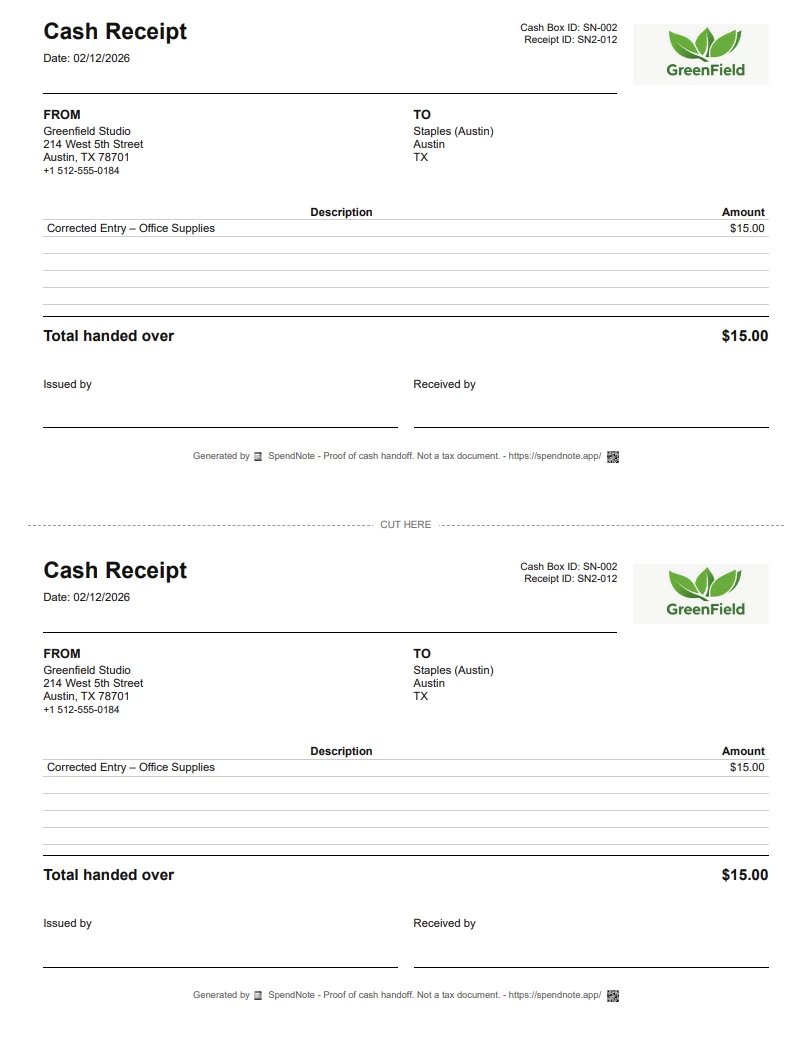
The receipt that actually matters in a shared cash environment is the one you generate when cash leaves your hand. The custodian gives the float to the supervisor; the supervisor signs; both keep a PDF; the system records it. That's the proof. That's what stops "I never got that money" disputes.
A Google Sheets template cannot generate that. A spreadsheet row is not a receipt. SpendNote treats every transaction as a receipt event — see the petty cash receipt generator for the format. That's not a feature bolted on top; it's the workflow.
What a Dedicated App Does Instead
An app isn't more complicated than a spreadsheet — it's just structured. The same fields you'd type into a sheet (date, amount, who, what for) go into a form. Everything that happens after you press save is what changes.
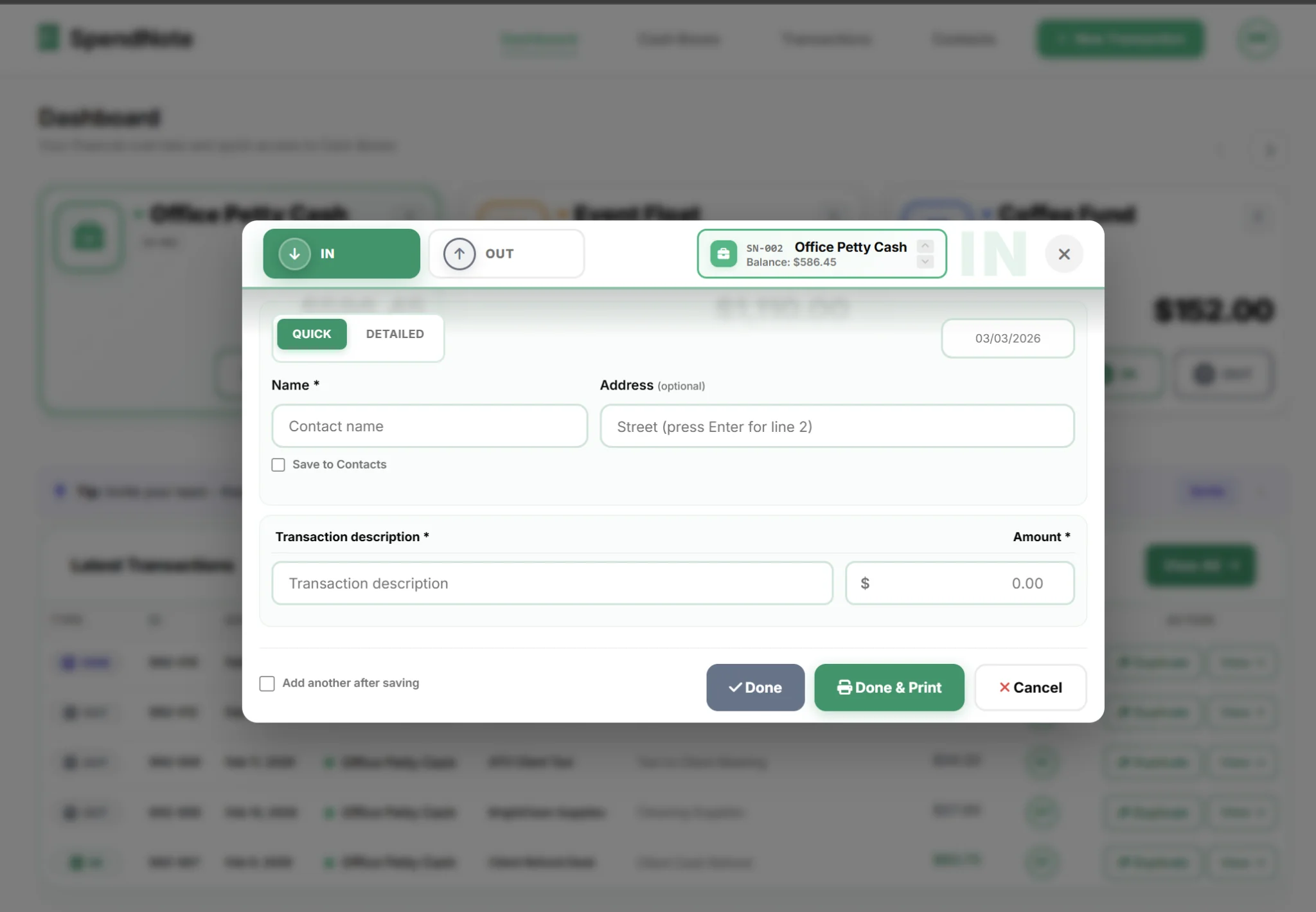
- The balance updates itself. No formula in the next column to maintain or break.
- A receipt is generated for every entry. Print it, download a PDF, or email it — immediately.
- The entry is timestamped and attributed. You always know which user logged it.
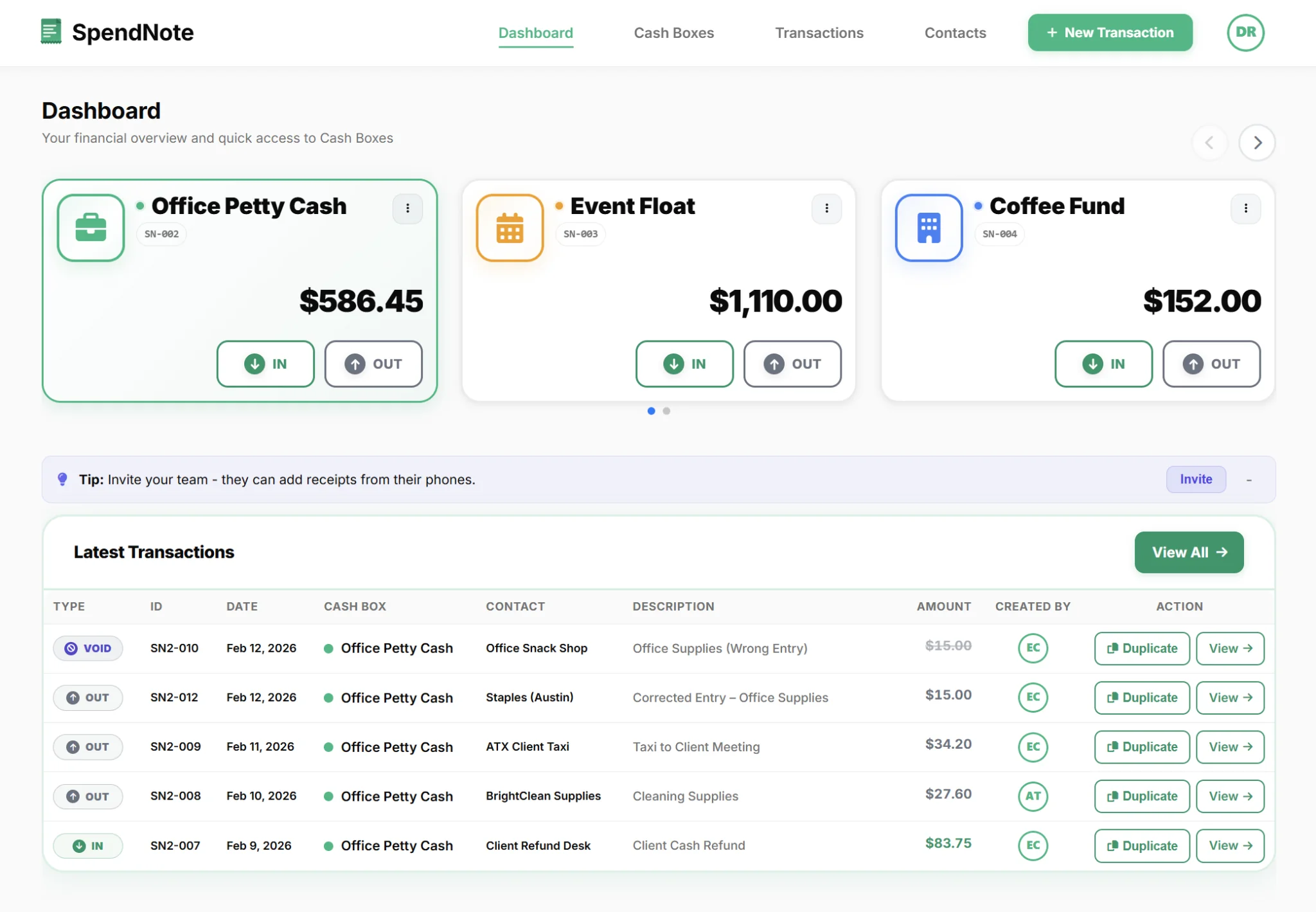
- Multiple cash boxes live in one dashboard. One per location, project, or department — not one tab per box.
- Roles are real. Admins can void; users can only record. Sheets cannot enforce that.
This is the same engine as the broader SpendNote petty cash app — this page is about the spreadsheet-replacement angle specifically.
Side-by-Side: Sheets Templates vs SpendNote
| Feature | Google Sheets template | SpendNote |
|---|---|---|
| Cost | ✓ Free template | ~ Free 14-day trial, then from $15.83/mo |
| Running balance | ~ Formula-dependent (breakable) | ✓ Automatic, never breaks |
| Receipt output (per transaction) | ✗ Not possible | ✓ PDF / print / email |
| Per-row "who recorded it" log | ✗ Version history only (cell-level) | ✓ User-attributed per entry |
| Role separation (Admin vs User) | ✗ Editor / Viewer only | ✓ Owner / Admin / User |
| Void / cancel a transaction | ✗ Delete row (no trace) | ✓ Void with audit entry |
| Multiple cash boxes | ~ Separate tabs or files | ✓ Built in, one dashboard |
| Real-time multi-user editing | ✓ Native to Sheets | ✓ Native to the app |
| Saved contacts (recipients, payees) | ✗ N/A | ✓ Built in |
| Branded PDF export | ✗ N/A (manual) | ✓ Built in |
When Google Sheets Is Actually Fine
Not every petty cash setup needs an app. Be honest with yourself.
If you are the only person handling cash, your volume is genuinely low (under five movements per month), nobody ever asks you for a receipt, and you don't need a per-entry audit trail — a Google Sheets template is perfectly adequate. The same is true for Apple Numbers, Excel Online, or any other shared spreadsheet: the wall is the same, just on a different platform.
The trigger to switch is usually one of these moments:
- A second person starts handling cash. Now you need accountability the sheet can't enforce.
- Someone asks for a receipt. And you don't have one ready, because the sheet doesn't make them.
- The balance doesn't match. And version history shows a hundred edits but doesn't say which one broke it.
- You manage more than one cash box. And the tab/file juggling has started causing mistakes.
Once you hit any of those, you're spending more time on the spreadsheet than on the cash. That's the signal.
Ready to Move Beyond the Sheet?
Set your starting balance, log your first transaction, hand the recipient a real receipt — in under 30 seconds.
Start Free TrialThe Switch: What Day 1 Looks Like
Step 1: Sign up (no credit card). You get a default cash box ready to use.
Step 2: Set your current cash-on-hand as the starting balance. This is the single number from your Google Sheets that matters.
Step 3: Log your first transaction. Date, amount, who, what for — one form. The balance updates, the receipt is generated, the row is attributed to you.
You don't need to import anything. Most teams keep the sheet as a read-only archive (Google Sheets is good at that, actually) and start fresh in the app. Inside a week, the sheet sits untouched.
If you're running cash across multiple locations, see how the same flow scales in our online petty cash book for multi-site teams. And because everything lives in the browser, you can manage your cash boxes remotely from any device — the same way you opened the sheet, minus the version conflicts.
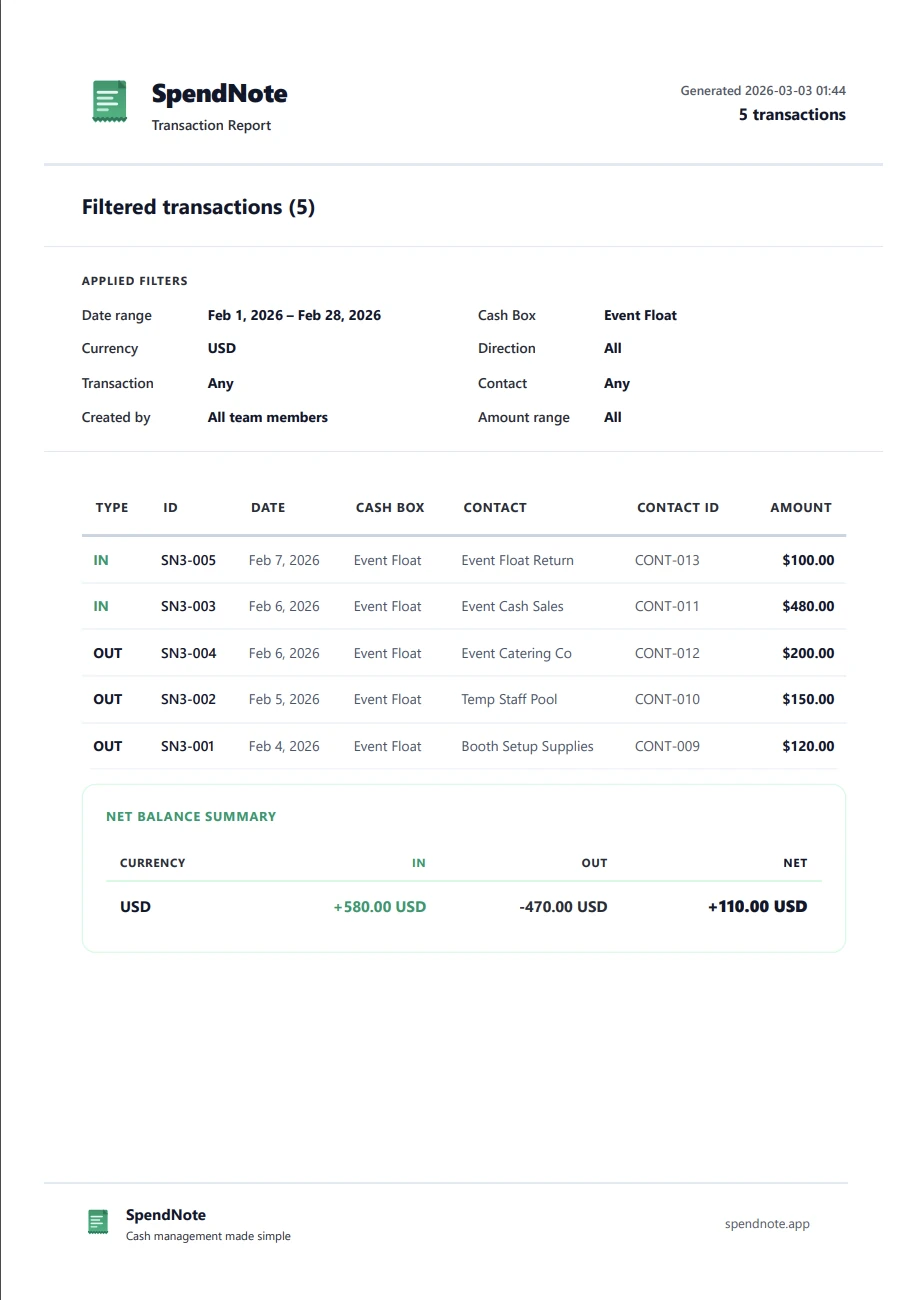
Important: SpendNote is for internal cash tracking and receipt generation. It does not replace your accounting software, tax filings, or invoicing system. SpendNote documents the cash handoff — your accountant handles the rest.
Frequently Asked Questions
Can I move my Google Sheets petty cash log into SpendNote?
SpendNote does not currently bulk-import Google Sheets data. Most teams keep the old sheet as an archive, set their current cash balance as the new starting balance in SpendNote, and start logging fresh. Because the running balance updates automatically, you don't need to copy historical rows over.
Why is a Google Sheets template free but an app costs money?
A template is a static file — you do all the work (formulas, cell-by-cell entry, manual receipts, version control). An app does that work for you and adds things a spreadsheet structurally can't: per-transaction receipts you can hand to someone, a tamper-evident log of who entered what, and role separation between admins and regular users. SpendNote starts at $15.83/month after a free 14-day trial.
Doesn't Google Sheets give us version history already?
Sheets version history shows who changed the file at a given moment — but it doesn't tie a specific cash movement to a specific user, doesn't enforce who can void a transaction, and doesn't generate a receipt. If you need to ask "who recorded this $40 entry, when, and is there a printable receipt for it?", version history alone won't answer that.
What about Apple Numbers, Excel Online, or other shared spreadsheets — does the same advice apply?
Yes. The wall is the same regardless of which spreadsheet tool you use: shared cells, formula fragility, no per-transaction receipt, and no role separation. Apple Numbers users hit it on iPad. Excel Online users hit it through SharePoint. The trigger is always the same: a second person starts handling cash, or someone needs a receipt the spreadsheet can't generate.
Does SpendNote replace my accounting software?
No. SpendNote is for internal cash tracking and receipt generation — not invoicing, tax filing, or bookkeeping. It documents the moment cash changes hands. Your accountant and accounting software handle the rest.