Office Expense Reimbursement Form
Track cash advances and repayments in one shared record — every receipt documents the transaction clearly.
Read this first — what SpendNote does and does not do
SpendNote is an internal cash-handoff log: it records that an advance was given, who got it, and when the cash came back. It is not an expense-reimbursement system in the accounting sense, not a payroll deduction tool, and not a tax-deductibility advisor. Whether a given reimbursement is deductible, how it is classified on the company books, and how it interacts with payroll or contractor 1099 reporting are decisions for your accountant and your accounting software — not for this tool. SpendNote provides the underlying proof that cash physically changed hands.
What is an Office Expense Reimbursement Form?
An office expense reimbursement form tracks cash advances given to employees and repayments received back. Instead of filling out paper forms, SpendNote is a lightweight tool for small teams that generates instant receipts for every cash IN and OUT transaction.
Simple Reimbursement Tracking for Small Teams
SpendNote isn't a traditional reimbursement system—it's a receipt generator that tracks cash flow automatically. Here's what you get:
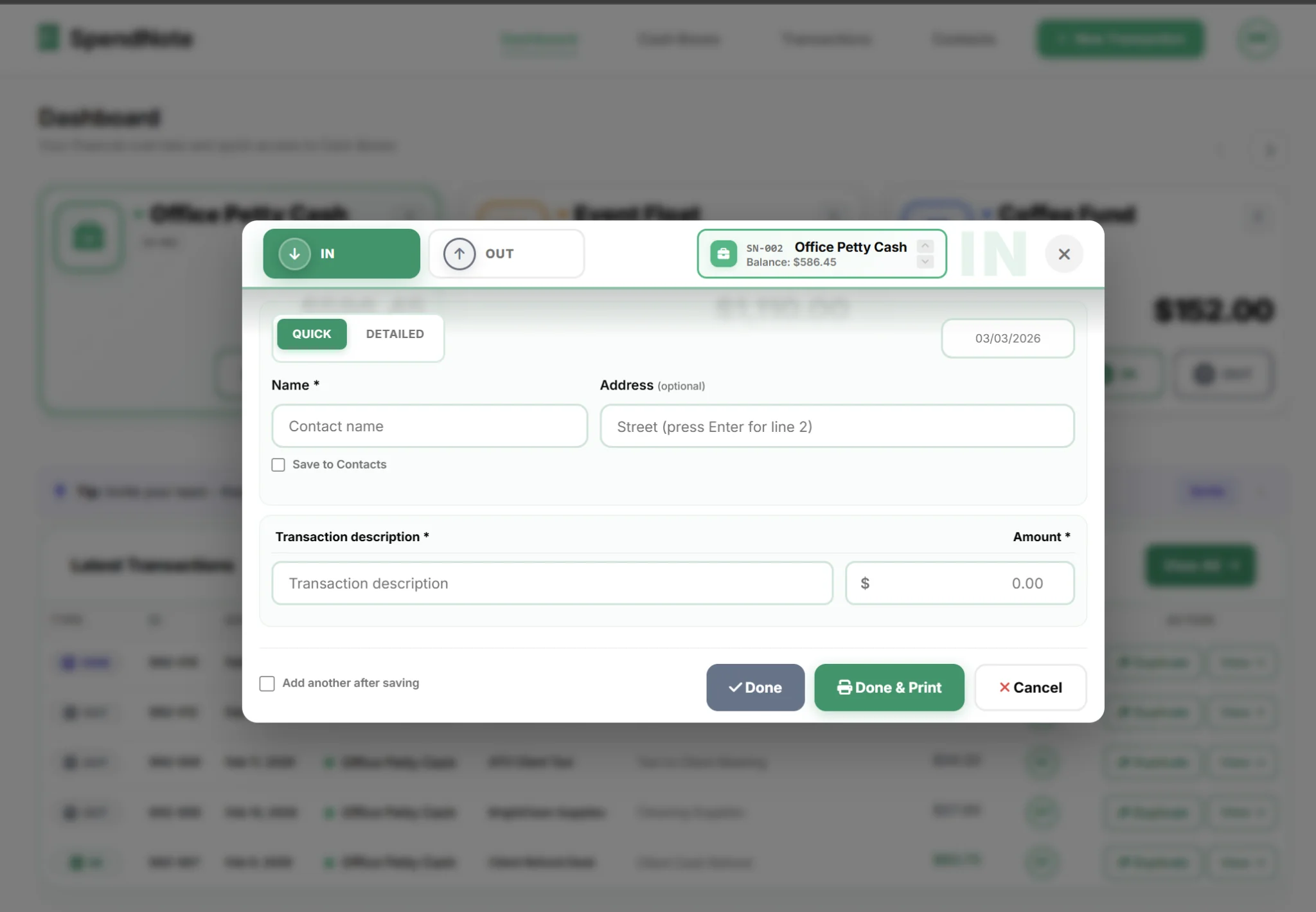
Receipt = Reimbursement Record
Every cash handoff receipt you create (print, PDF, or email) documents the advance or repayment with date, amount, and parties. Each reimbursement is simply recorded as an IN or OUT transaction in your cash box.
Running Balance
Each cash box shows its current balance based on all IN and OUT transactions. See exactly who owes what at any time.
Filter and Search
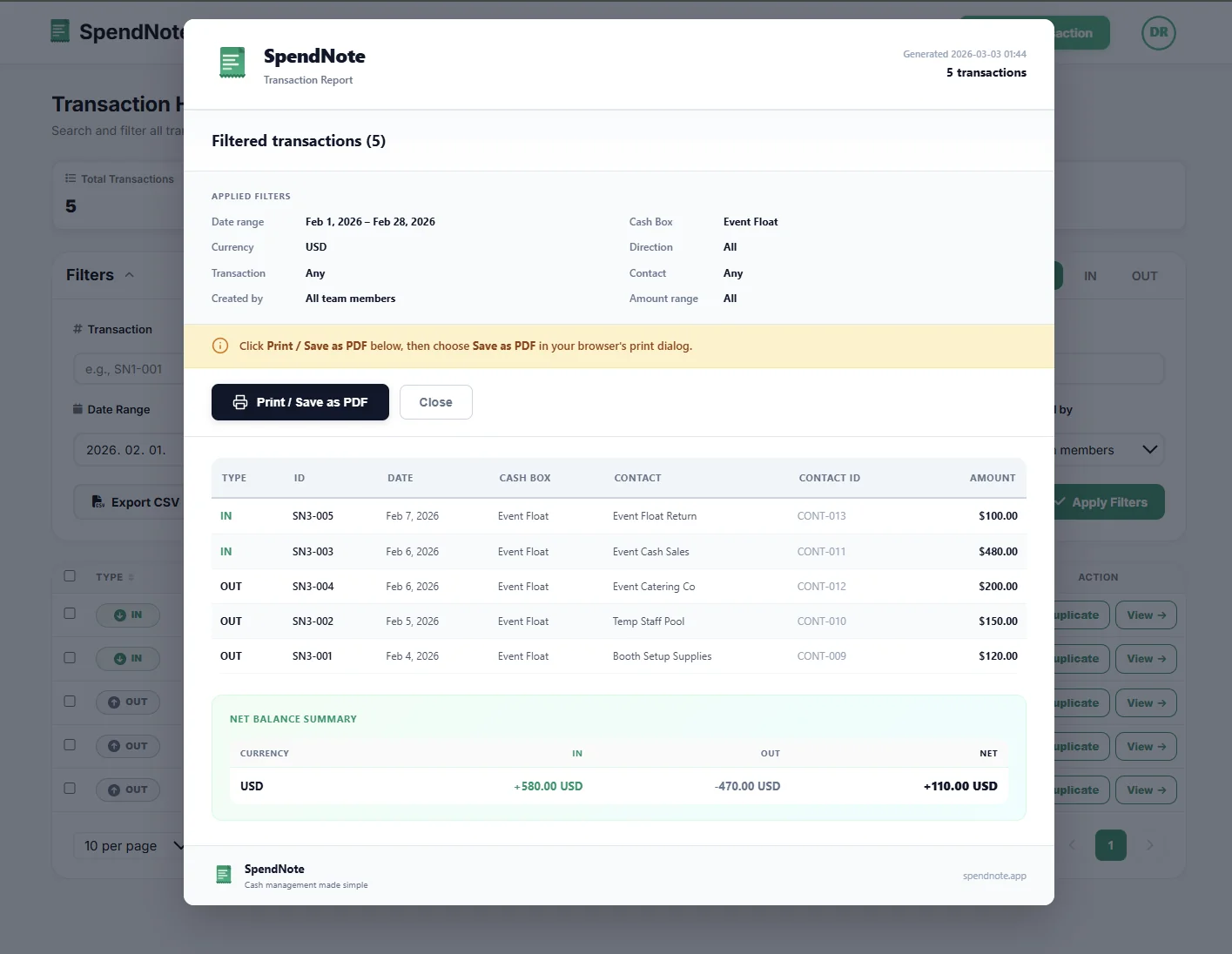
Filter your transaction history by date range, cash box, partner, or who recorded it. Find any reimbursement in seconds.
Downloadable Record
Export filtered transactions to CSV or generate a PDF for your records. Simple, no form complexity.
Original Entry Stays Visible
SpendNote uses a void system instead of deletion—every reimbursement record stays in your history permanently. If a mistake is corrected, the original record remains visible for transparency. No deletions, just clear history.
Track Reimbursements Without Forms
Skip the paper form — log the advance or reimbursement, sign, print. Both sides keep a copy. Your records build automatically. Free to start, no credit card.
Create First Reimbursement ReceiptOffice Expense Reimbursement FAQ
Does this reimbursement form calculate balances automatically?
Yes. Each cash box maintains a running balance based on IN and OUT transactions. You can see current balances and historical trends at any time.
Can I export reimbursement records?
Yes. Filter transactions by date range and person, then export to CSV or generate a PDF report for your records or accounting software.
Can team members see all reimbursements?
No. Team members only see transactions from their assigned cash box. Admins can see all cash boxes and perform administrative actions like voiding transactions.
Also see: Petty cash reconciliation, Digital petty cash book, Petty cash receipt generator, How to track cash payments, Cash paid out log.
Need more info? Visit our pricing page or FAQ.
Try everything. Pay nothing for 14 days.
Then, if you love it
- Unlimited receipts and cash boxes
- Your logo on every receipt
- Print, PDF & CSV export
- Daily cash report with cash count
Every cash handoff, recorded and signed.
Set up in two minutes. First receipt in thirty seconds. Every entry saved and searchable.
Start my free trial