The Job Site Cash Problem
Every construction site runs on some amount of petty cash. Someone needs screws from the hardware store. The crew needs lunch. A tool breaks and the replacement can't wait for a purchase order.
The cash goes out. But the tracking? That usually lives in someone's pocket — a crumpled receipt, a mental note, or nothing at all. By Friday, the petty cash box is short and nobody can explain why.
The issue isn't the spending. The issue is the gap between "cash leaves" and "it gets documented." On a busy site, that gap grows fast.
What Needs Tracking
Material Runs
A crew member takes $200 for a hardware store run. They come back with $160 in materials and $40 in change. Both need logging — the disbursement and the return. Without a record, that $40 vanishes into the next coffee run.
Per Diems & Meal Allowances
Daily cash given to workers for meals or travel. Ten workers, five days, $25 each — that's $1,250 a week in cash handoffs with zero paper trail unless you deliberately create one.
Tool & Equipment Replacements
A broken drill bit, a missing safety harness, a burnt-out extension cord. Small purchases that happen constantly. Each one is $10–$80, and they add up to hundreds per month.
Fuel & Transport
Gas for the generator. Diesel for the truck. Parking at the material yard. These costs are real and recurring, but they're the first to slip through the cracks because "it was just $30."
How to Track Petty Cash on a Construction Site
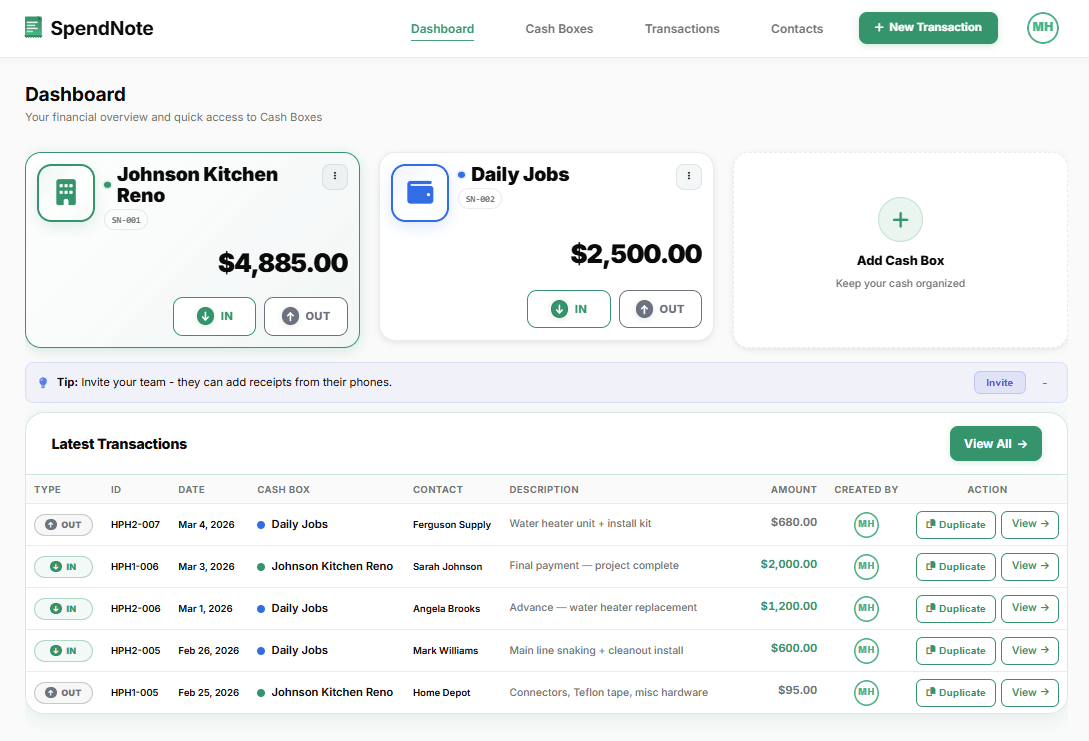
Step 1: Create a cash box for the job site. Name it after the project (e.g., "Elm Street Renovation"). Set the starting float.
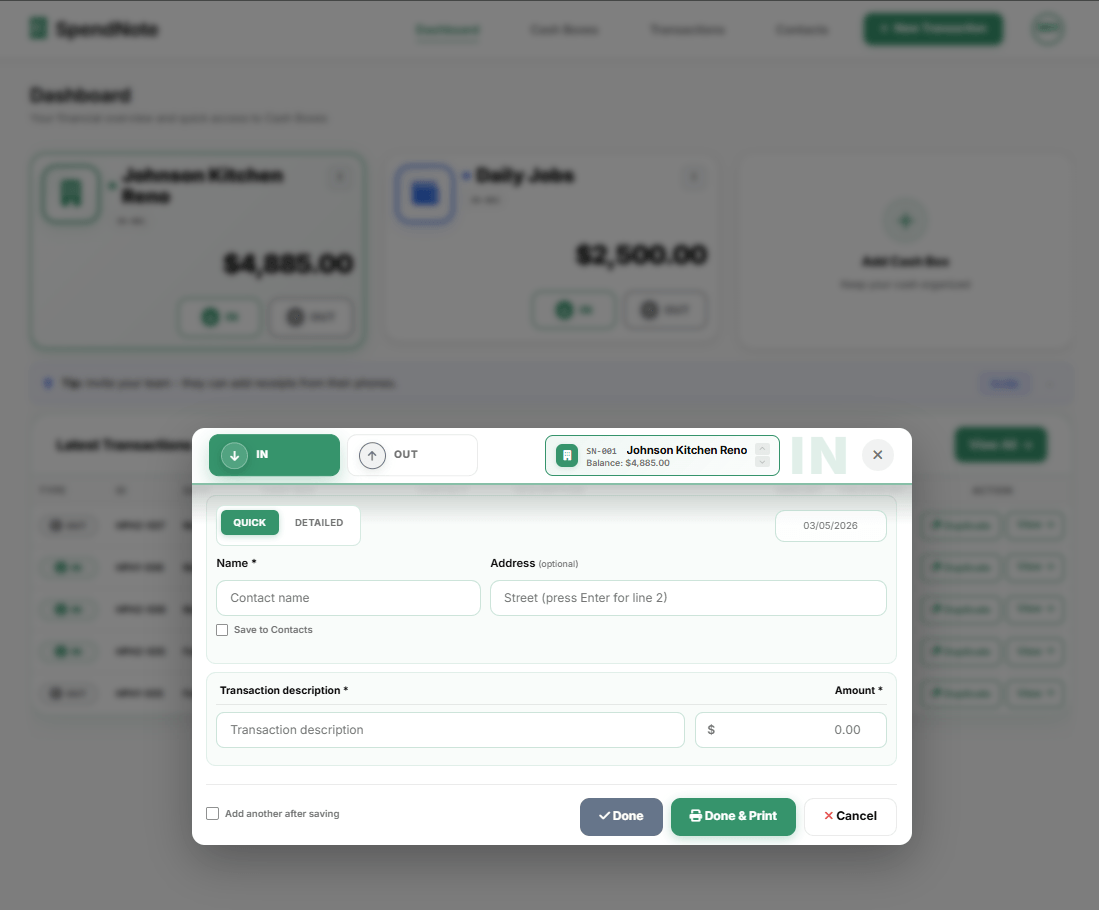
Step 2: When cash goes out, log it. Open SpendNote on your phone, tap OUT, enter the amount, and select who took it. Takes 15 seconds.
Step 3: When cash comes back (change from a material run, deposit received), log it as IN. The balance updates instantly.
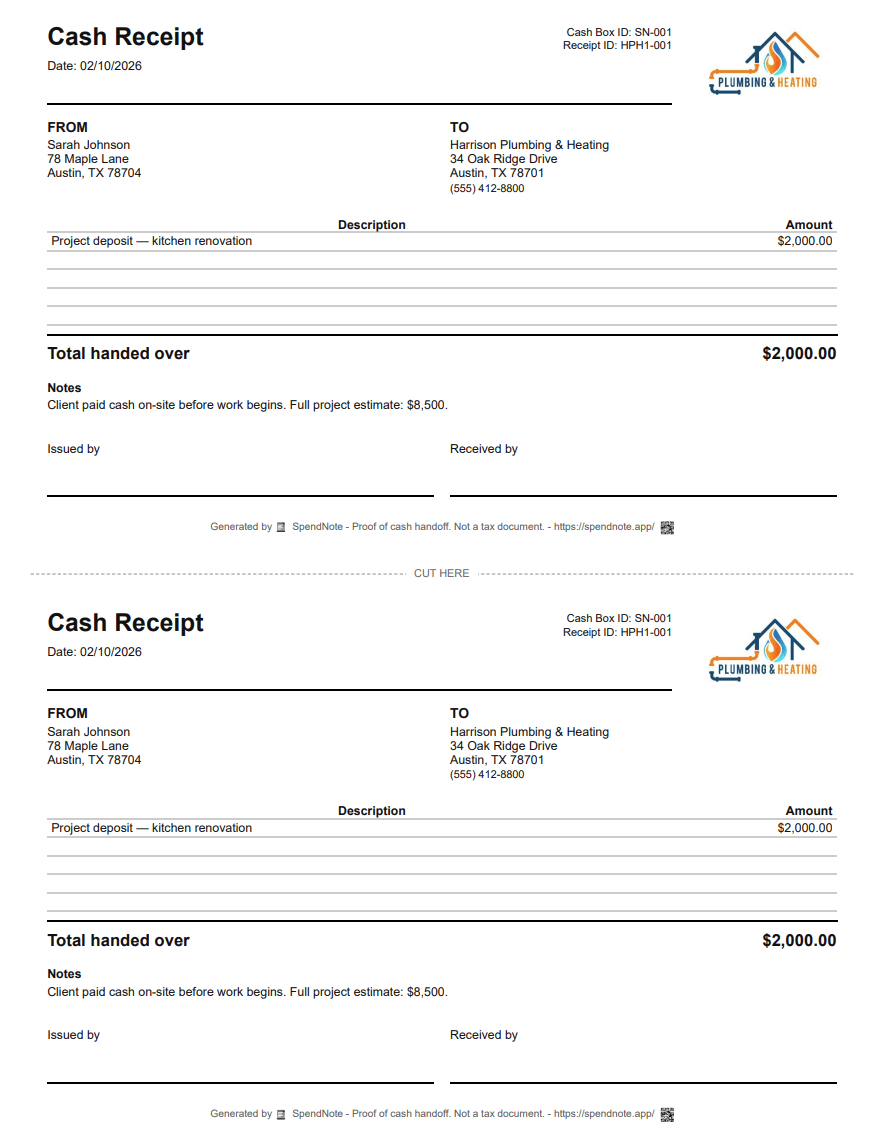
Every entry generates a receipt you can print, email, or save as PDF. If someone claims they returned the change, you have a timestamped record that says otherwise — or confirms they did.
Know Where Every Dollar Went
Set up your first job site cash box in under a minute. Start logging today.
Track Job Site Cash FreeMultiple Sites, One Dashboard
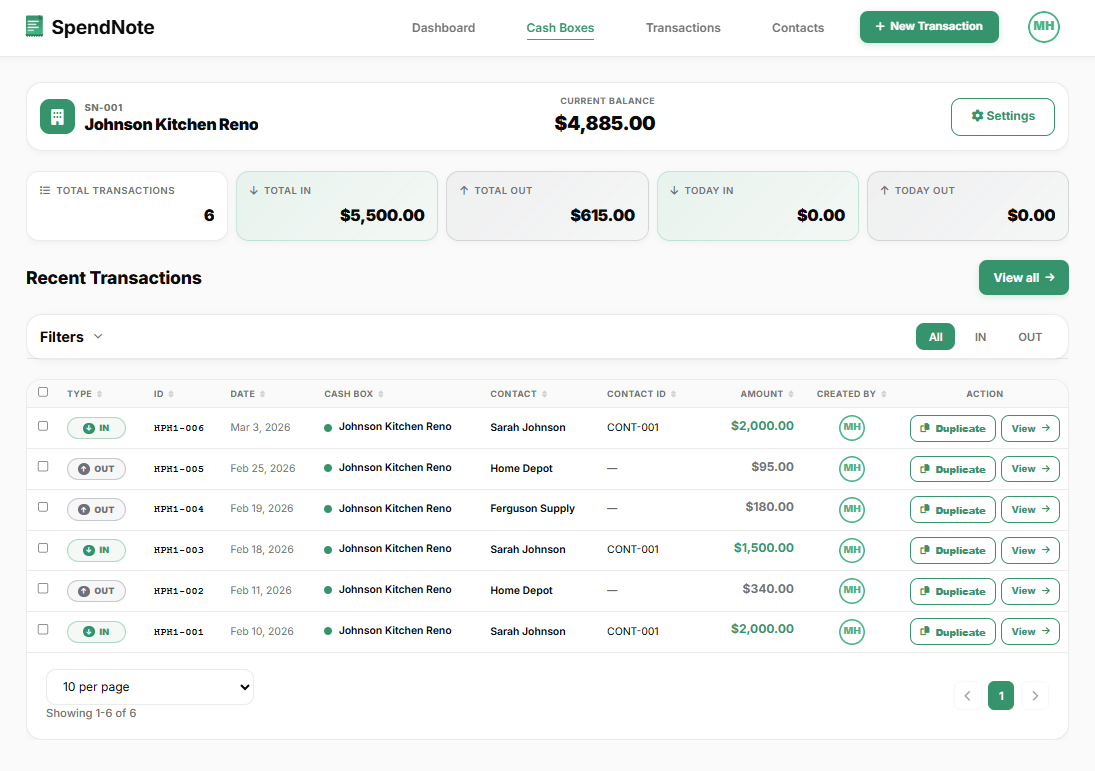
Running three projects at once? Create a cash box for each one. Every site has its own balance, its own transaction history, and its own receipts. No cross-contamination between projects. And you can monitor all of them remotely from any device.
If you need to report to the office how much cash went into the Elm Street job this month, filter by that cash box and export a branded PDF daily cash report in two clicks. No spreadsheet assembly required.
Who Has Access
SpendNote has three roles: Owner, Admin, and User.
- Owner / Admin — can create cash boxes, void transactions, invite crew members, and see the audit log
- User — can log transactions in the cash boxes they're assigned to, and generate receipts
The foreman gets Admin. Crew members who handle cash get User access to their site's cash box only. Nobody sees other projects, and nobody can void a transaction they shouldn't.
Important: SpendNote tracks the job site petty cash box and generates receipts for every cash handoff. It does not handle job costing, payroll, invoicing, or tax compliance. Your construction accounting software handles the rest — SpendNote fills the gap for on-site cash.
Frequently Asked Questions
How much petty cash should a construction site keep on hand?
It depends on the site size and typical daily expenses. A common starting point is $500–$1,000 for a small crew. Larger sites with frequent material runs may keep $2,000–$5,000. The key is to match the float to your average weekly cash spend and replenish before it runs out.
Who should manage petty cash on a job site?
Typically the site foreman or project manager. The person responsible should be the only one with direct access to the cash box. Others request cash from them, and every disbursement gets documented with a receipt.
What expenses are appropriate for construction site petty cash?
Common uses include small material purchases (hardware store runs), fuel for equipment, crew per diems and meal allowances, tool replacements, and minor site supplies. Large purchases should go through regular procurement channels, not petty cash.
Does SpendNote replace construction accounting software?
No. SpendNote tracks the petty cash box and generates receipts for cash handoffs. It does not handle job costing, payroll, invoicing, or tax compliance. Your construction accounting software handles the rest — SpendNote fills the gap for on-site cash tracking.