Event Cash Handling
Run secure cash points at festivals, markets, and events. Issue receipts from any phone, track stall floats, and close out with a perfect audit trail.
Why Event Cash Handling Breaks Down
Festivals, markets, and temporary events are chaotic. Cash moves fast, volunteers swap shifts, and the environment isn't controlled. When things go wrong, it's usually because of these three vulnerabilities in the event till:
Fundraisers & Charity Events
Donations and ticket sales tracked per booth. Receipts for donors. Clean accounting for your organization.
Markets & Fairs
Multiple vendors, multiple cash boxes. Each booth reconciles independently. No end-of-day guesswork.
School & Club Events
Bake sales, door entries, raffle tickets. Volunteers issue receipts. Treasurer reconciles at the end.
Corporate & Conference Events
Cash bars, merchandise, registration fees. Professional receipts for attendees, clean records for finance.
Event Cash Handling Checklist
Use this checklist for every event that handles cash:
- Document the opening float. Before the event starts, count the starting cash — signed by both the organizer and the handler.
- Issue a receipt for every transaction. Every payment in or out needs a digital or physical record.
- Lock boxes when idle. Keep festival cash boxes closed and secured when not actively handling a transaction.
- Require handoff receipts. Never allow cash to move between stalls or to a manager without a signed transfer receipt.
- Perform mid-event drops. If a stall float gets too high, transfer excess cash to a safe with a documented drop.
- Count and close. At close: count physical cash, compare to the transaction log, document variance, and sign the closing handoff.
Receipts for Every Event Transaction
Set up a festival cash box per stall in minutes. Your team signs and prints receipts from any phone. Close out with a complete, searchable log. Free to start, no credit card.
Create First Event ReceiptHow SpendNote Works for Events
SpendNote is designed around the concept of a cash box — a named, tracked container for a specific pool of cash. For events, you create one cash box per booth, table, or entry point.
- Multiple cash boxes — One per location, booth, or register. Separate history for each.
- Team access — Each volunteer or staff member gets access to their assigned cash box only
- Instant receipts — Print two-copy, download PDF, or send to the payer's email at the time of transaction
- Handoff receipts — When cash moves between people, both parties sign a receipt for the transfer
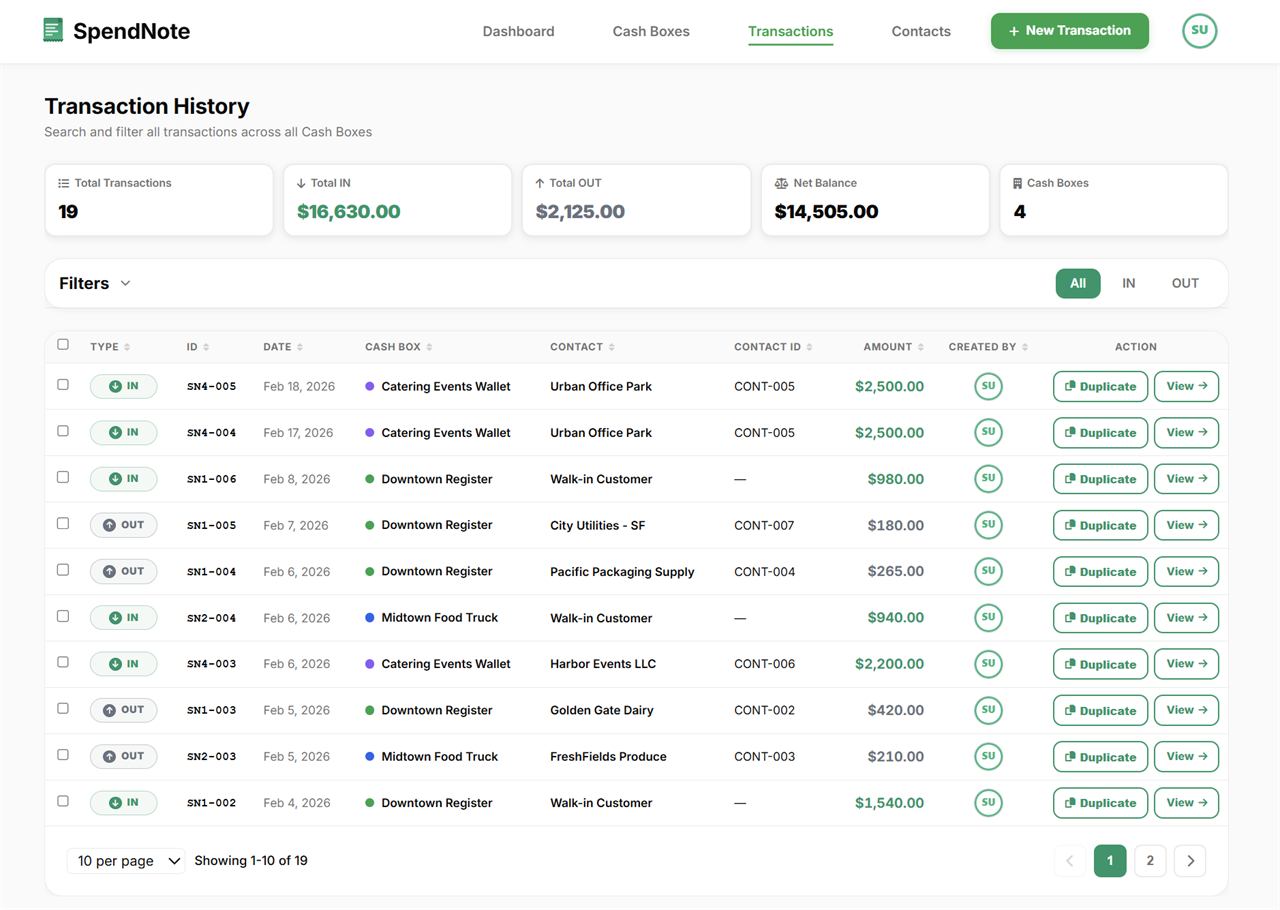
- Full transaction history — Filter by cash box, date, amount, or person for post-event reconciliation
- Daily cash report — At close, print each booth's report with opening balance, totals, expected closing balance, and a cash count section to sign
- CSV export — Export your event's full transaction log for bookkeeping or reporting
Cash Box Log for Fundraisers, PTAs, PTOs & Booster Clubs
The classic cash box log — the binder at the treasurer’s table with the volunteer’s name, the starting cash, the close-out count, and a stack of receipts — is the operational backbone of every PTA bake sale, PTO fundraiser, school spirit night, sports concession stand, and church festival. It works at the smallest scale, and it’s exactly where things break down once you have multiple booths, multiple volunteers, or multiple events.
SpendNote is the same cash box log, shared with every volunteer and visible to the treasurer in real time:
- One cash box log per booth — bake sale table, ticket booth, raffle stand, snack bar — each with its own starting float and live balance
- Volunteer-by-volunteer attribution — every entry carries the volunteer’s name and timestamp, no “whose handwriting is this?” questions later
- Live close-out — the treasurer sees expected vs actual variance the moment the volunteer logs the closing count, not the next morning
- Year-round history — search the cash box log by event, booth, volunteer, or date across every fundraiser the org runs in a year
- One log to share — replaces the binder, the spreadsheet emailed around, and the “send me your version” reconciliation calls
For the front-end of this flow — the moment a volunteer asks for the box and the treasurer hands it over — see our cash box request form guide. For the close-out denomination count itself, see cash count sheet template.
Frequently Asked Questions
What's the biggest cash handling mistake at events?
Not documenting transactions in real time. Teams that rely on memory or a hand-written tally at the end almost always have discrepancies. The fix is simple: issue a receipt for every transaction as it happens.
How many people should handle a cash box?
Ideally two per box: one who accepts cash and one who issues the receipt and logs the transaction. This separation of duties is the single most effective control against errors and losses.
Do attendees need receipts at events?
For ticket purchases, donations, and any purchase over a small threshold — yes. It protects the attendee and gives your organization proof of the transaction. SpendNote can email the receipt directly to the attendee at the time of payment.
Can I use SpendNote for a one-day event?
Yes. There's no minimum commitment. You can set up a free account, create a cash box for your event, and use it for a single day — or a single hour.
Also see: Cash box request form, School money collection tracker, Construction site petty cash, Cash handoff receipt, Small business cash receipt, Cash discrepancy between shifts, Daily cash report template, Cash count sheet template.
Try everything. Pay nothing for 14 days.
Then, if you love it
- Unlimited receipts and cash boxes
- Your logo on every receipt
- Print, PDF & CSV export
- Daily cash report with cash count
Every cash handoff, recorded and signed.
Set up in two minutes. First receipt in thirty seconds. Every entry saved and searchable.
Start my free trial