What Is a Cash Paid Out Log
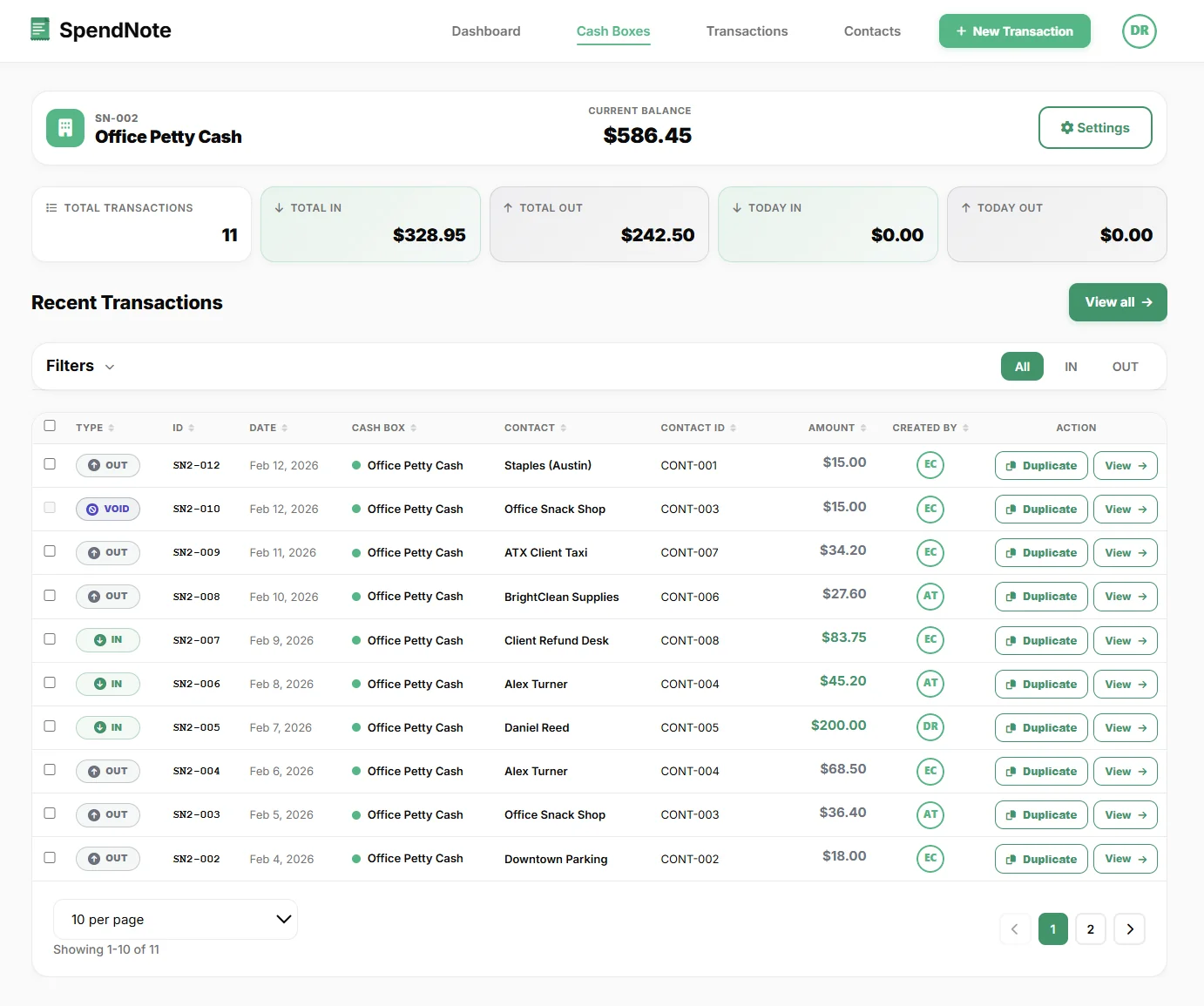
A cash paid out log tracks every outflow from a cash box or register. Unlike a full petty cash log that records both inflows and outflows, a paid out log focuses specifically on disbursements — money leaving the box.
Each entry answers four questions: who received the cash, how much, what for, and when. If a voucher or receipt is attached, the entry is verifiable. If not, it's just a claim.
What Each Entry Should Include
- Date and time of the disbursement
- Amount paid out
- Recipient — who received the cash
- Purpose — what the money was for (office supplies, fuel, meals, etc.)
- Authorized by — who approved the payout
- Receipt or voucher reference — proof that the cash was used as stated
- Running balance — the cash box balance after this disbursement
Common Cash Paid Out Categories
Office Supplies & Materials
Pens, paper, printer ink, cleaning supplies. Small purchases that don't justify a purchase order but still need documenting.
Meals & Per Diems
Staff meals, client lunches, daily cash allowances. These add up quickly and are often the largest category in a paid out log.
Transport & Parking
Fuel, parking fees, taxi fares, delivery charges. Frequent and small, but they drain the cash box fast without logging.
Repairs & Maintenance
Emergency fixes, replacement parts, minor repairs. Often unplanned and paid in cash because a purchase order would take too long.
Every Cash Outflow, Documented
Log each disbursement in seconds. Get a receipt, a timestamp, and a running balance — automatically.
Create Free AccountFrom Paper Log to Digital Tracking
A paper cash paid out log works until you need to find a specific entry from last month, total up a category, or prove who authorized a payment. Digital tracking solves all three.
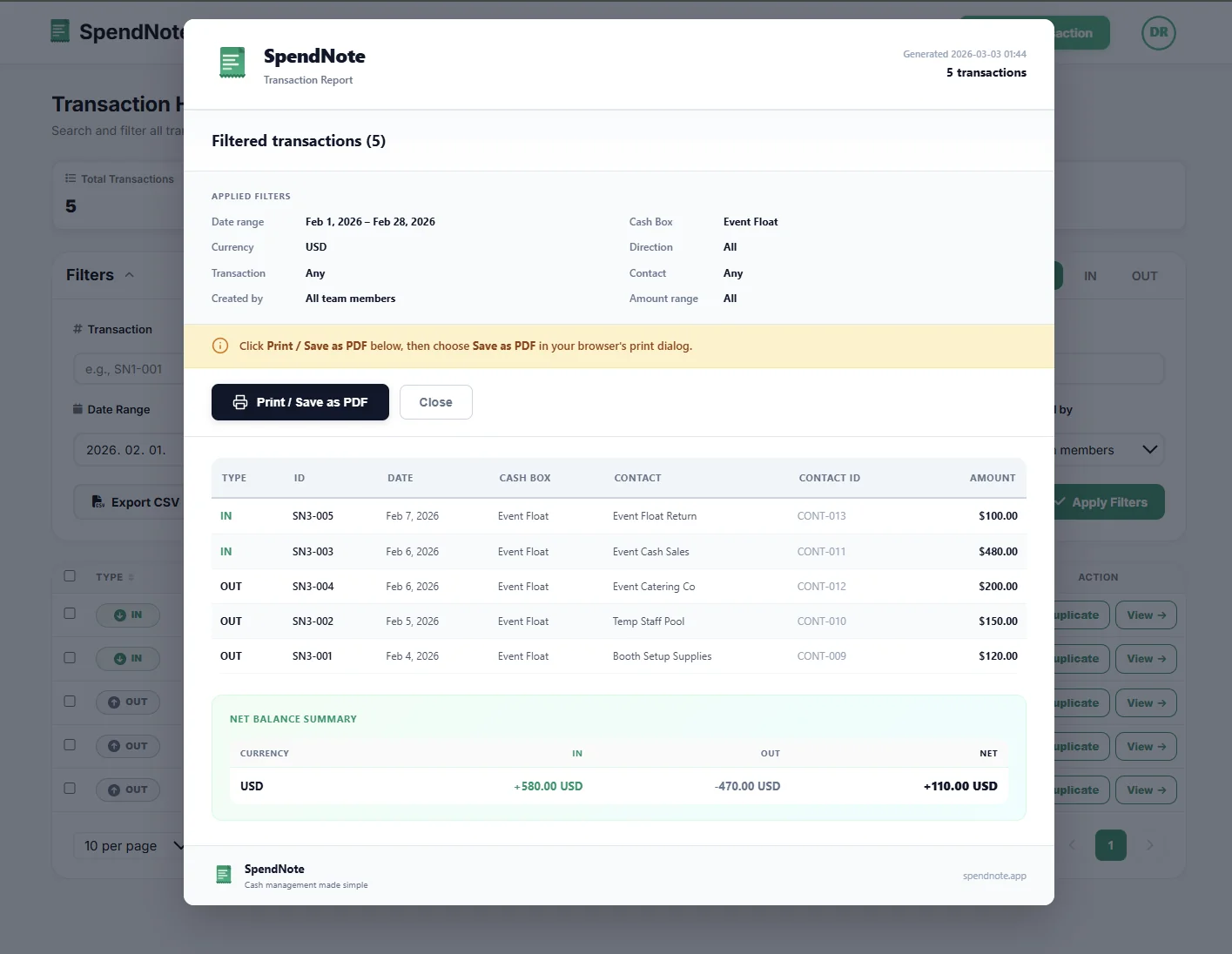
In SpendNote, every OUT transaction is a paid out entry. Each one gets a timestamp, user attribution, and a receipt. At reconciliation time, filter for OUT transactions, export a PDF, and compare to the remaining cash. If the numbers match, you're done.
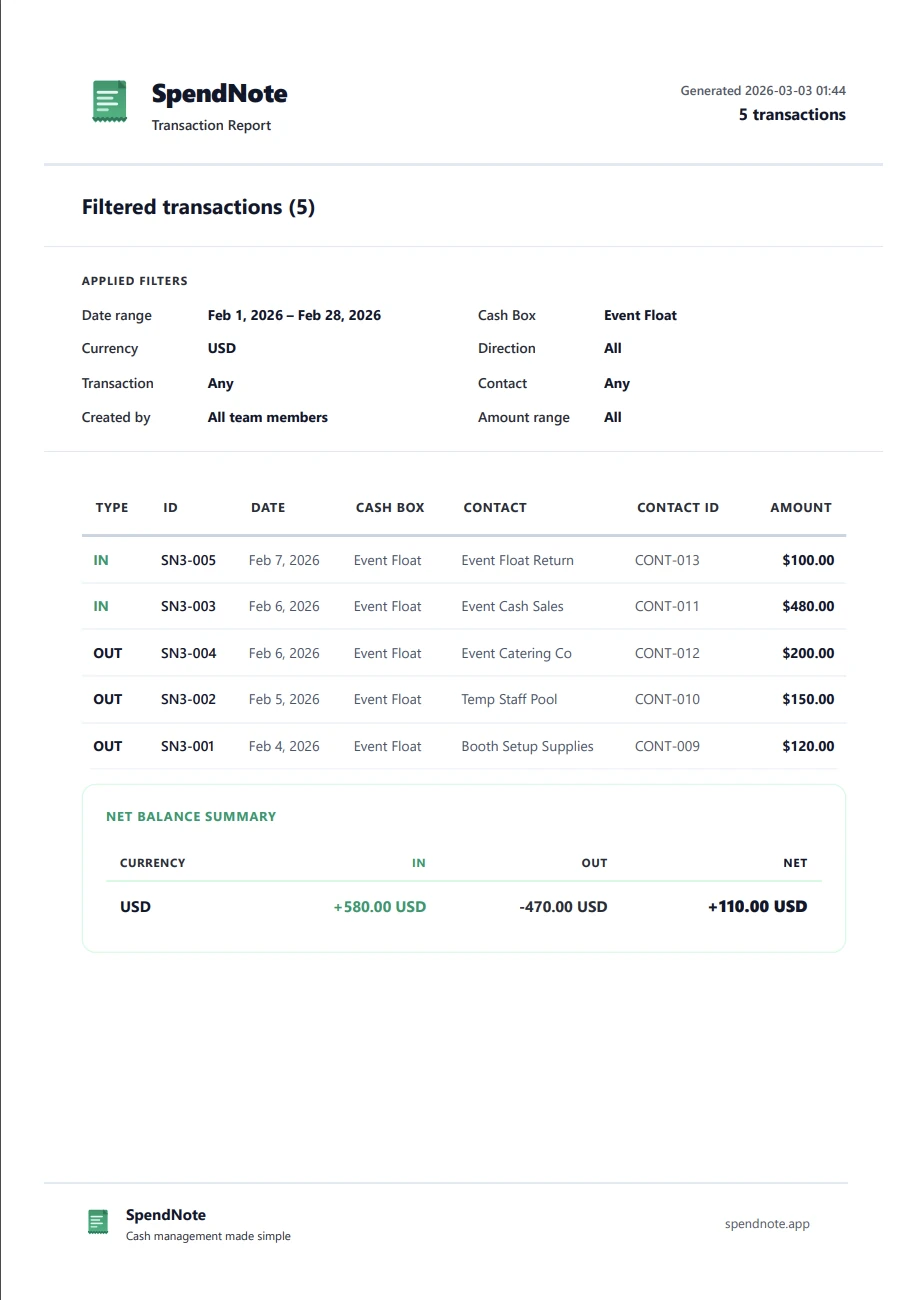
When it's time to replenish the cash box, the paid out log serves as the supporting documentation — it shows exactly where the money went.
Important: SpendNote is for internal cash tracking and receipt generation. Cash paid out logs in SpendNote are internal documentation — not accounting journal entries, expense reports for tax purposes, or official financial records. Your accounting system handles the formal bookkeeping.
Frequently Asked Questions
What is a cash paid out log?
A cash paid out log is a record of every cash disbursement from a cash box or register. Each entry includes the date, amount, recipient, purpose, and who authorized the payment. It tracks only outflows — money leaving the box.
What's the difference between a cash paid out log and a petty cash log?
A petty cash log records all transactions — both money coming in (replenishments, returns) and money going out (disbursements). A cash paid out log focuses specifically on outflows. In practice, many businesses use a combined log, but separating paid-outs helps when reviewing where money went.
Do I need a receipt for every cash paid out?
Yes, best practice is to document every cash disbursement with a receipt or voucher. The receipt proves the payment happened, who received it, and what it was for. Without receipts, paid-out entries are unverifiable — which is a problem during audits and reconciliation.
How do I track cash paid out in SpendNote?
Every time cash leaves the box, log it as an OUT transaction. Enter the amount, select the recipient, and describe the purpose. SpendNote generates a receipt automatically. You can filter your transaction history to show only OUT transactions — that's your cash paid out log.