Why Brand Your Cash Receipts?
You hand a client a plain receipt with just an amount and a date. It works, but it looks like it came from a calculator roll. Now imagine the same receipt with your business logo at the top, your business name, and a clean layout. Same information — completely different impression.
A branded receipt says "I'm a real business." It builds trust, especially when you're working with new clients who don't know you yet. It's the difference between a scribbled note and a professional document.
And it costs nothing extra. Upload your logo once in SpendNote, and every receipt from that cash box automatically includes it.
Who This Is For
Small Businesses & Freelancers
You're a one-person operation or a small team. When clients pay cash, a branded receipt makes your business look established and trustworthy — even if you're just getting started.
Service Providers
Cleaners, handymen, tutors, photographers. You do great work — now your receipt matches your professionalism. A logo receipt stands out from a generic one.
Multi-Location or Multi-Department Businesses
Run multiple cash boxes for different departments or locations? Each one can have its own logo and branding. The downtown cafe gets one look, the food truck gets another.
Clubs, Organizations & Nonprofits
When collecting membership fees, event payments, or donations in cash, a receipt with the organization's logo adds credibility and makes the receipt easy to identify.
How to Add Your Logo
Step 1: Open SpendNote and go to User Settings.
Step 2: Upload your default logo (PNG, JPG, or WebP). Square or horizontal logos work best.
Step 3: Save. From now on, every receipt will include your logo automatically — printed, emailed, or downloaded as PDF.
Pro tip: On the Pro plan, you can also set a different logo per cash box. Perfect if you run multiple businesses or departments under one account.
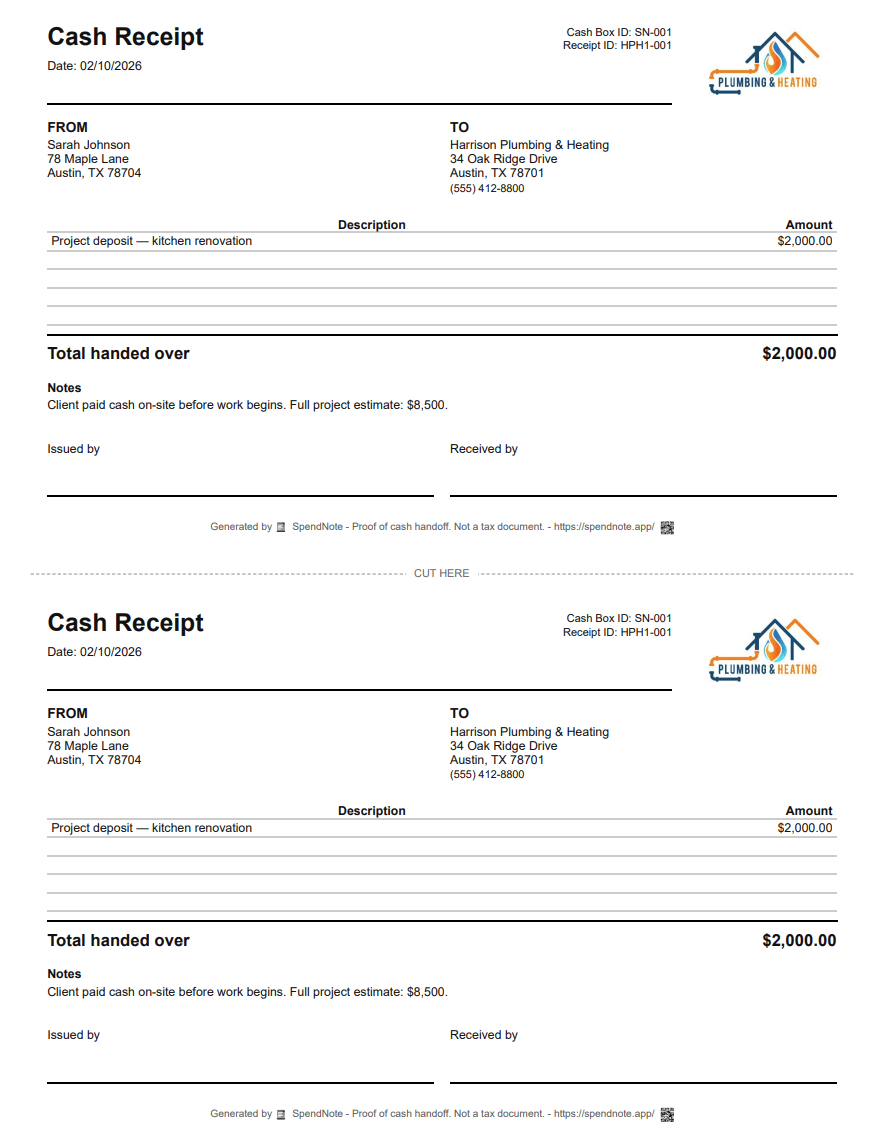
What Your Branded Receipt Includes
- Your logo — Displayed at the top of every receipt
- Your business name — As configured in your user settings
- Amount — The exact cash received or paid
- Client/contact name — Who the payment was from or to
- Date & time — Automatically filled in
- Receipt number — Automatically generated, unique for every transaction
- Note — Optional description of the payment purpose
The receipt format is the same whether you print it, email it, or download it as PDF. Your branding is consistent everywhere.
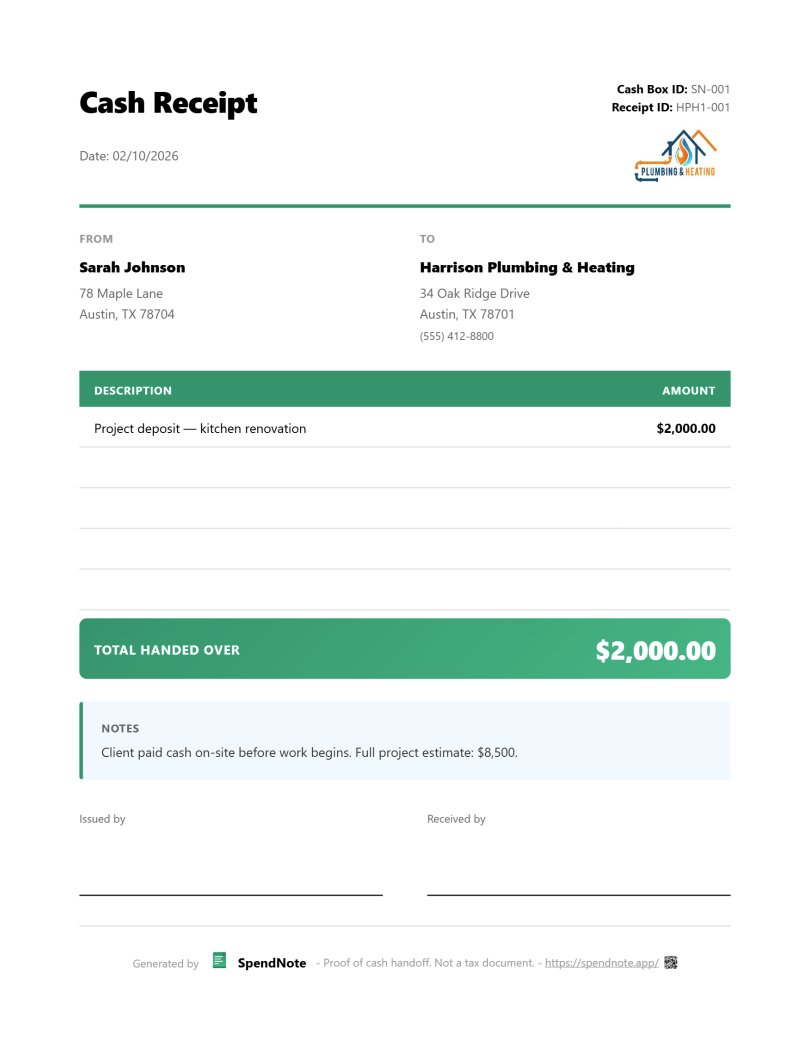
Your Logo on Every Receipt
Upload once, brand every receipt. Look professional on every cash payment.
Try SpendNote FreeImportant: SpendNote receipts are proof that cash was received — not invoices, not tax documents, and not official accounting records. Adding your logo makes the receipt look professional but does not change its purpose. If you need to issue branded invoices for tax purposes, consult an accountant.
This Is Not an Invoice
Let's be clear about what SpendNote does and doesn't do:
- It does: Create branded cash receipts with your logo, business name, and payment details
- It does not: Generate invoices, calculate taxes, or produce official accounting records
A branded receipt looks professional and proves the cash handoff. For invoicing and tax compliance, use your accounting software. SpendNote handles the moment cash changes hands — with your branding on it.
Frequently Asked Questions
Can I add my business logo to cash receipts?
Yes. In SpendNote, go to User Settings and upload your default logo. It will appear on every receipt — printed, emailed, or downloaded as PDF. On the Pro plan, you can also set a different logo per cash box.
What logo formats are supported?
SpendNote accepts PNG, JPG, and WebP logo files. For best results, use a square or horizontal logo with a transparent background. The logo will be resized automatically to fit the receipt layout.
Can I have different logos for different cash boxes?
Yes, on the Pro plan. Your default logo is set in User Settings and applies to all receipts. With Pro, each cash box can have its own logo — perfect if you run multiple businesses or departments.
Is the custom receipt a tax invoice?
No. Even with a logo, a SpendNote receipt is proof that cash was received. It is not a tax invoice, official accounting record, or legally binding document. Adding your logo makes the receipt look professional but does not change its purpose.
Also see: Small business cash receipt, Petty cash receipt generator, Proof of cash payment received, Cash refund receipt, Digital receipt book.